


Mori
A private, offline media and file browser.
- Type
- Desktop app
- Runs on
- macOS · Windows · Linux
- Get it
- Buy and download
- Price
- €4.99 One-time purchase
Screenshots
-
Meet Mori — browse any folder or drive like a gallery.
-
Gallery, Grid and List views, filtered by type.
-
Include subfolders — everything below a folder, with where each file lives.
-
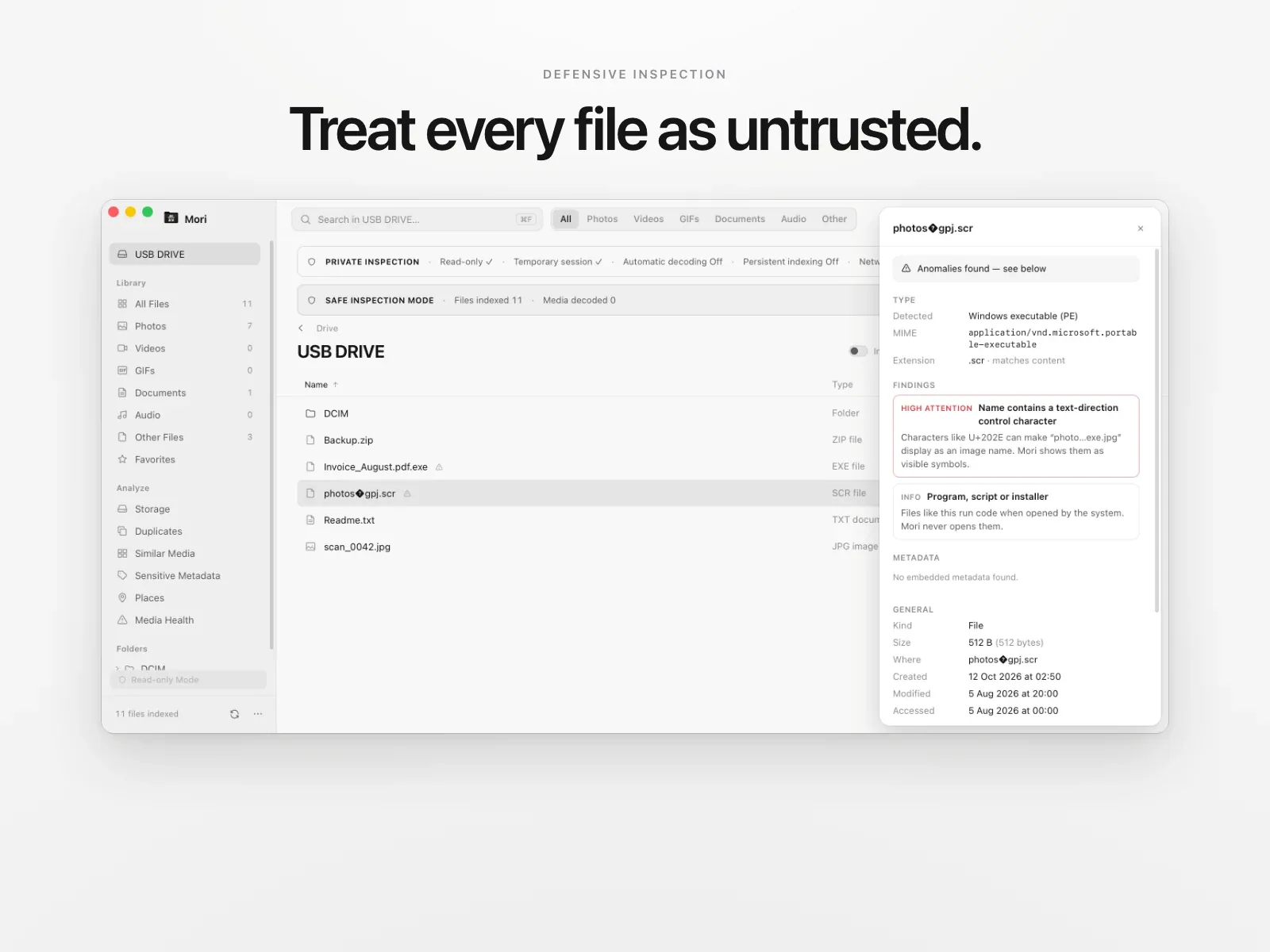
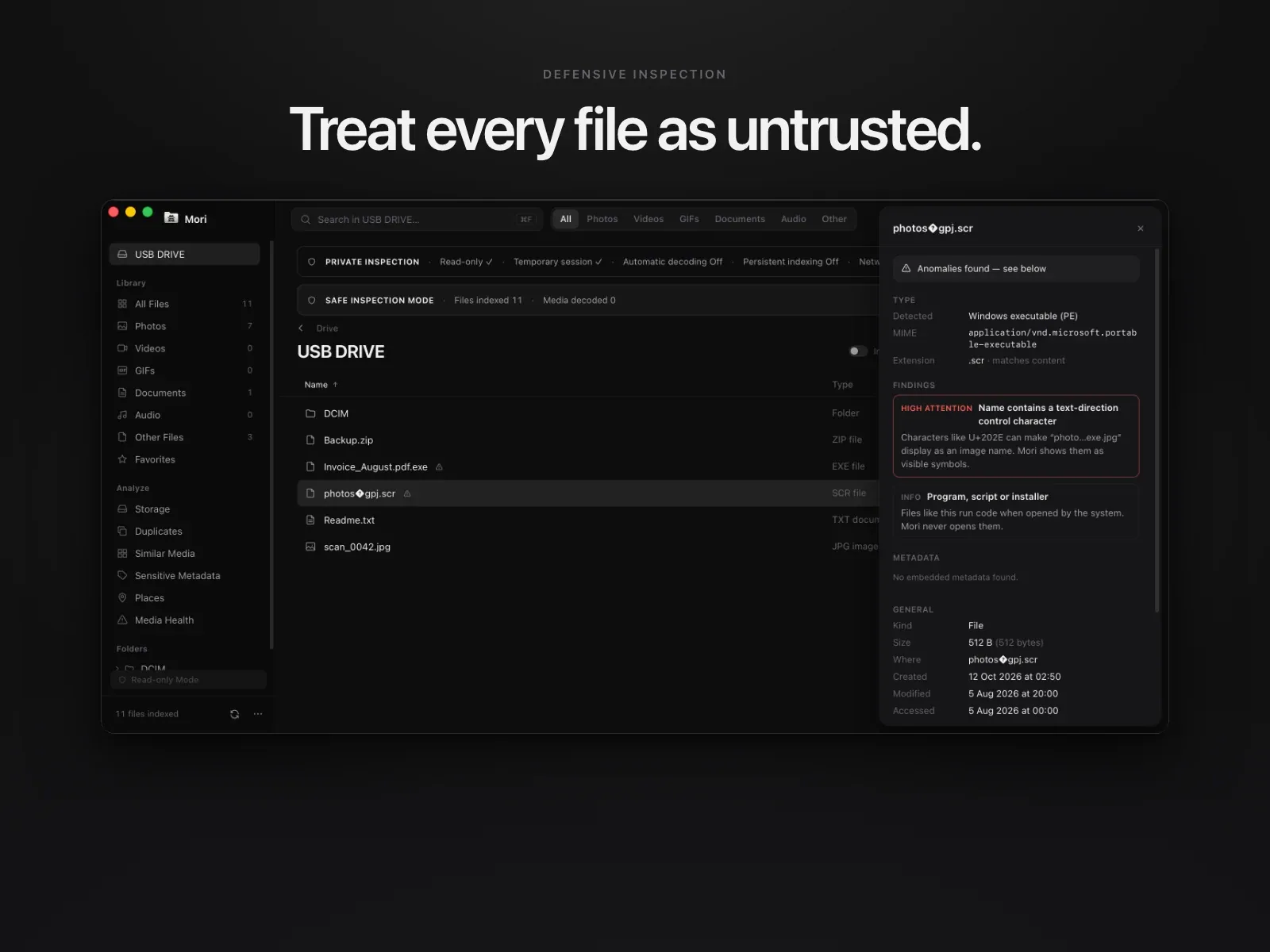
The content decides what a file is. Deceptive names are flagged; programs are never opened.
-
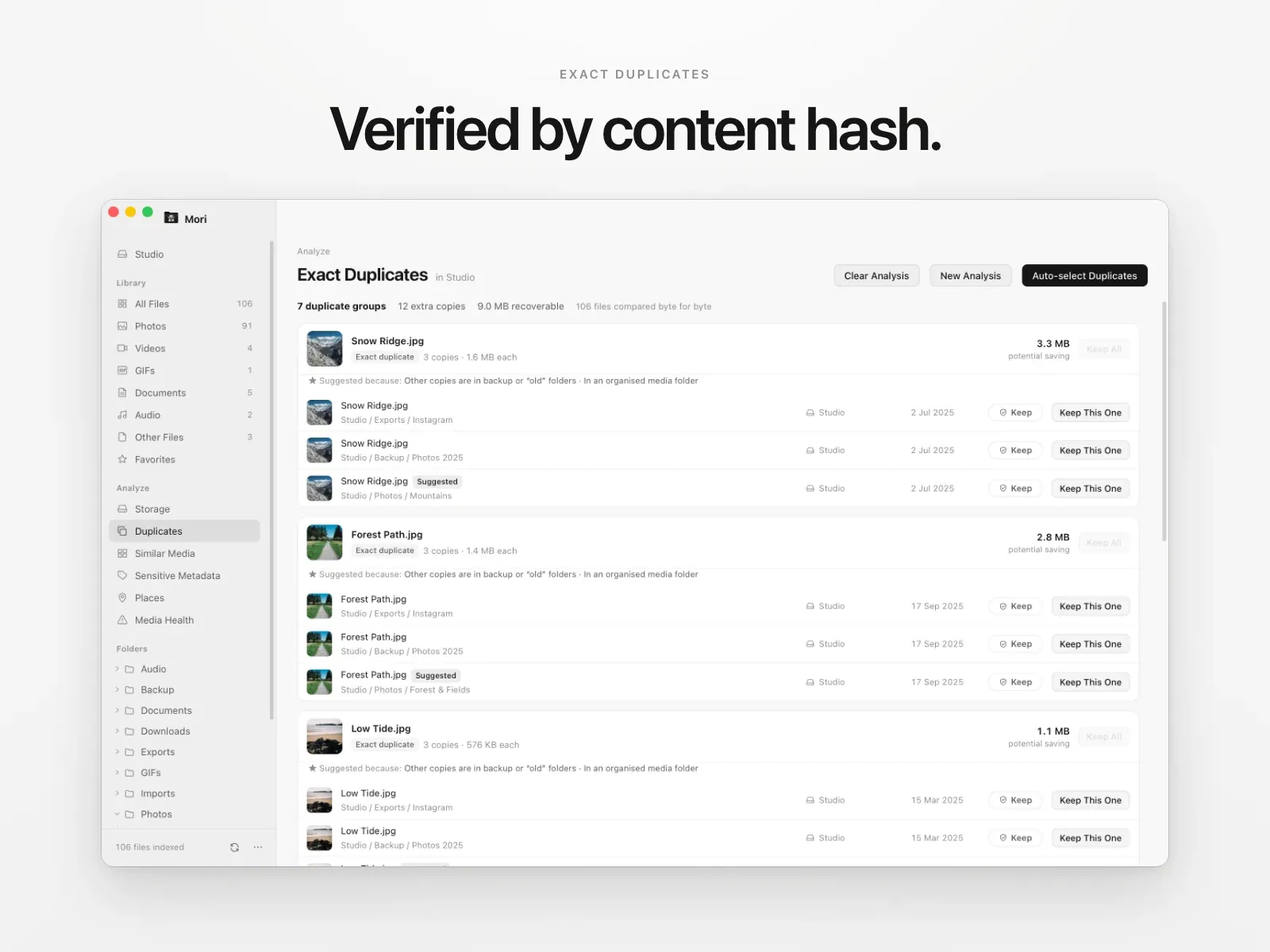
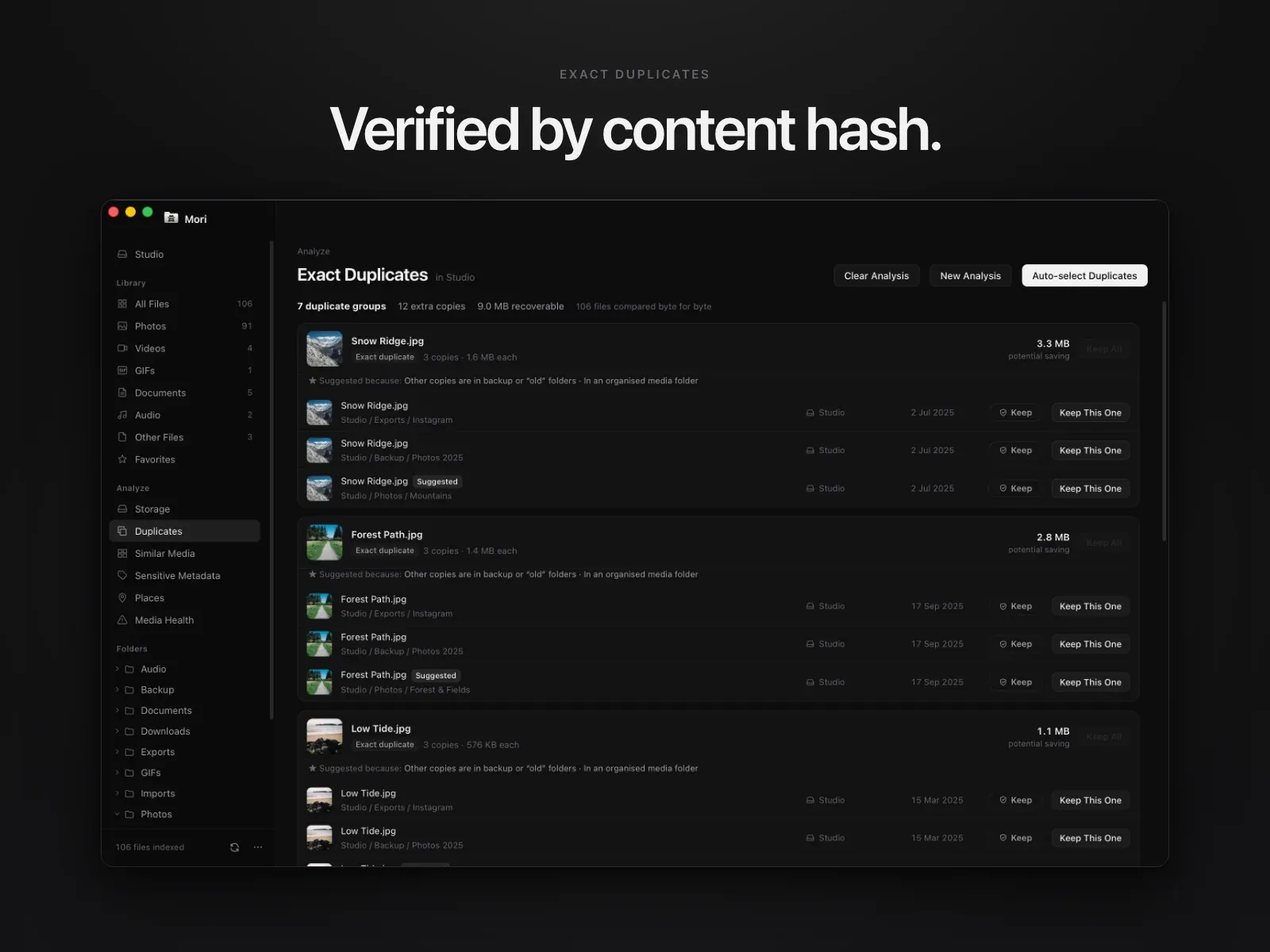
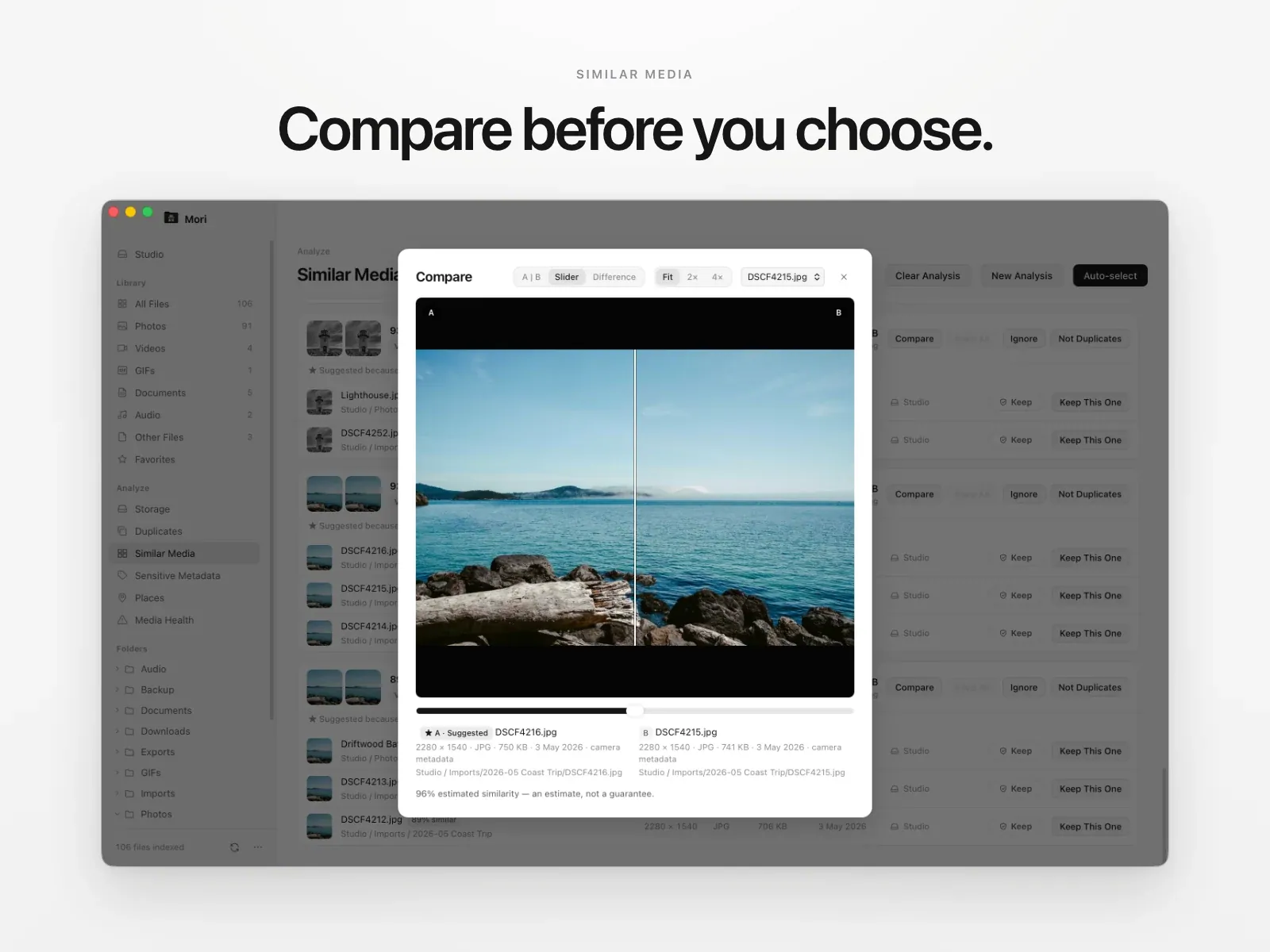
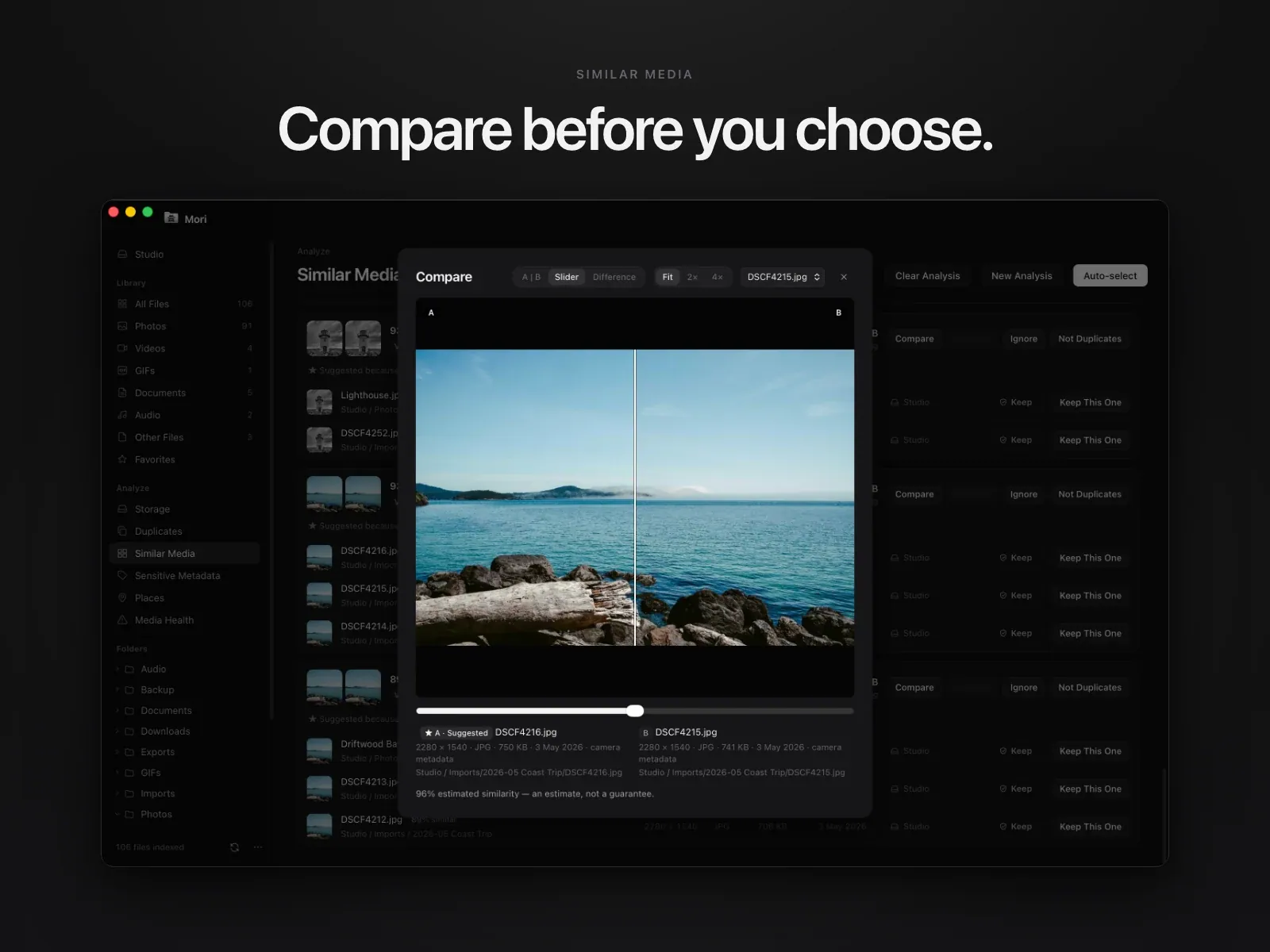
Exact duplicates by content hash; similar media, estimated, compared side by side.
-
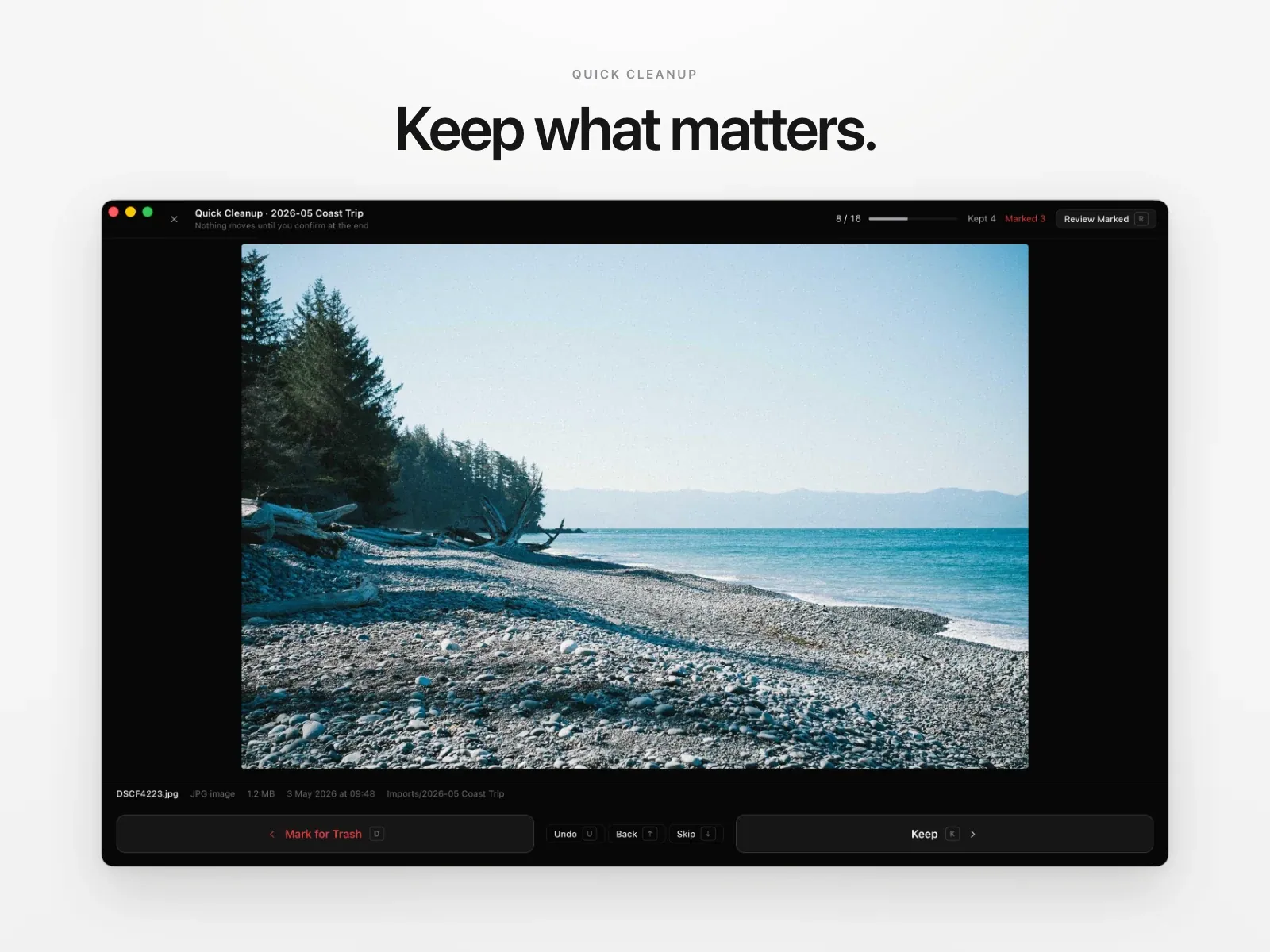
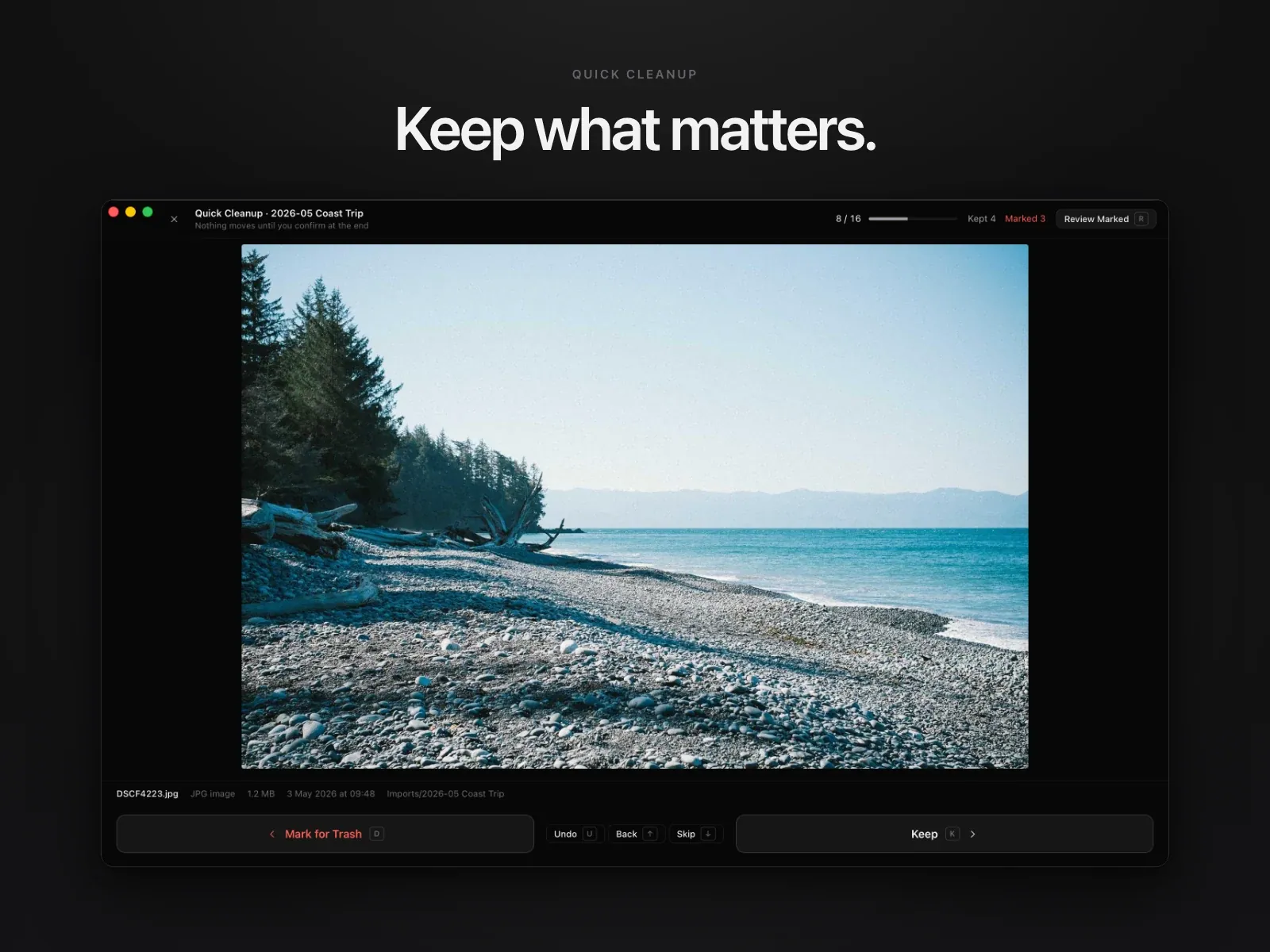
Quick Cleanup — decisions are staged; nothing moves until you confirm.
-
No account, no cloud, no telemetry. It all works offline.
-
Move, copy, tag and see what takes up space.
About Mori
Mori is a small desktop app for looking through folders and drives, including ones you don't trust. It browses them like a Finder-style gallery and previews photos, videos, PDFs and archives without handing the originals to other apps. It also finds duplicates, reads and scans metadata, checks file integrity, and shows what takes up space.
Core browsing and analysis work offline, with no account, cloud uploads, ads or developer telemetry. Apple handles optional store reviews and purchases; opening a file in another app is your choice.
Mori treats every file as untrusted input: the content decides what a file is, never the extension; decoding happens in a separate worker process, and only re-encoded copies reach the interface; archives are listed, never extracted; links are never followed.
Mori is not antivirus software, and it never says a file is "safe". It reduces how much has to be trusted just to see what a file contains.
Highlights
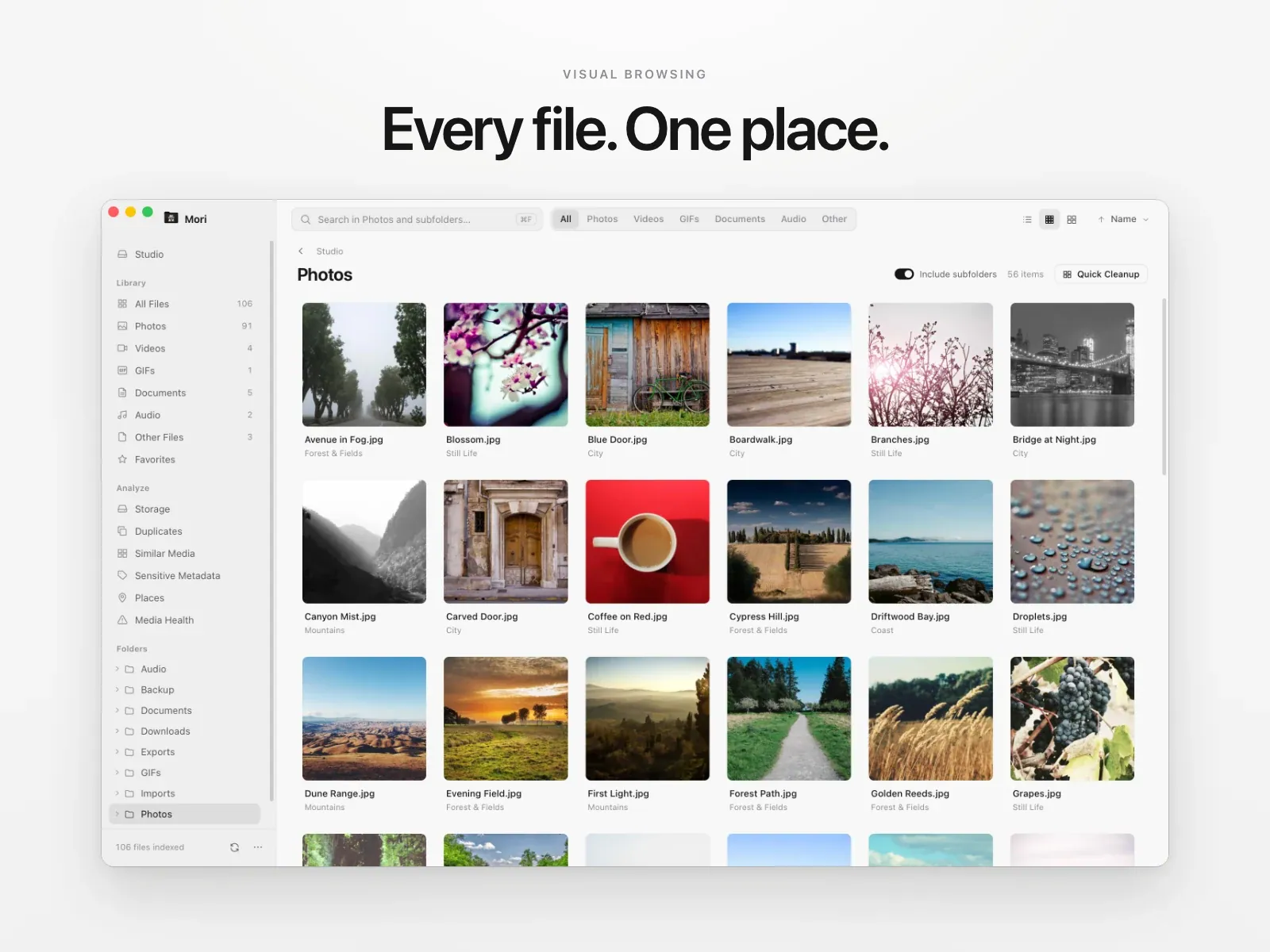
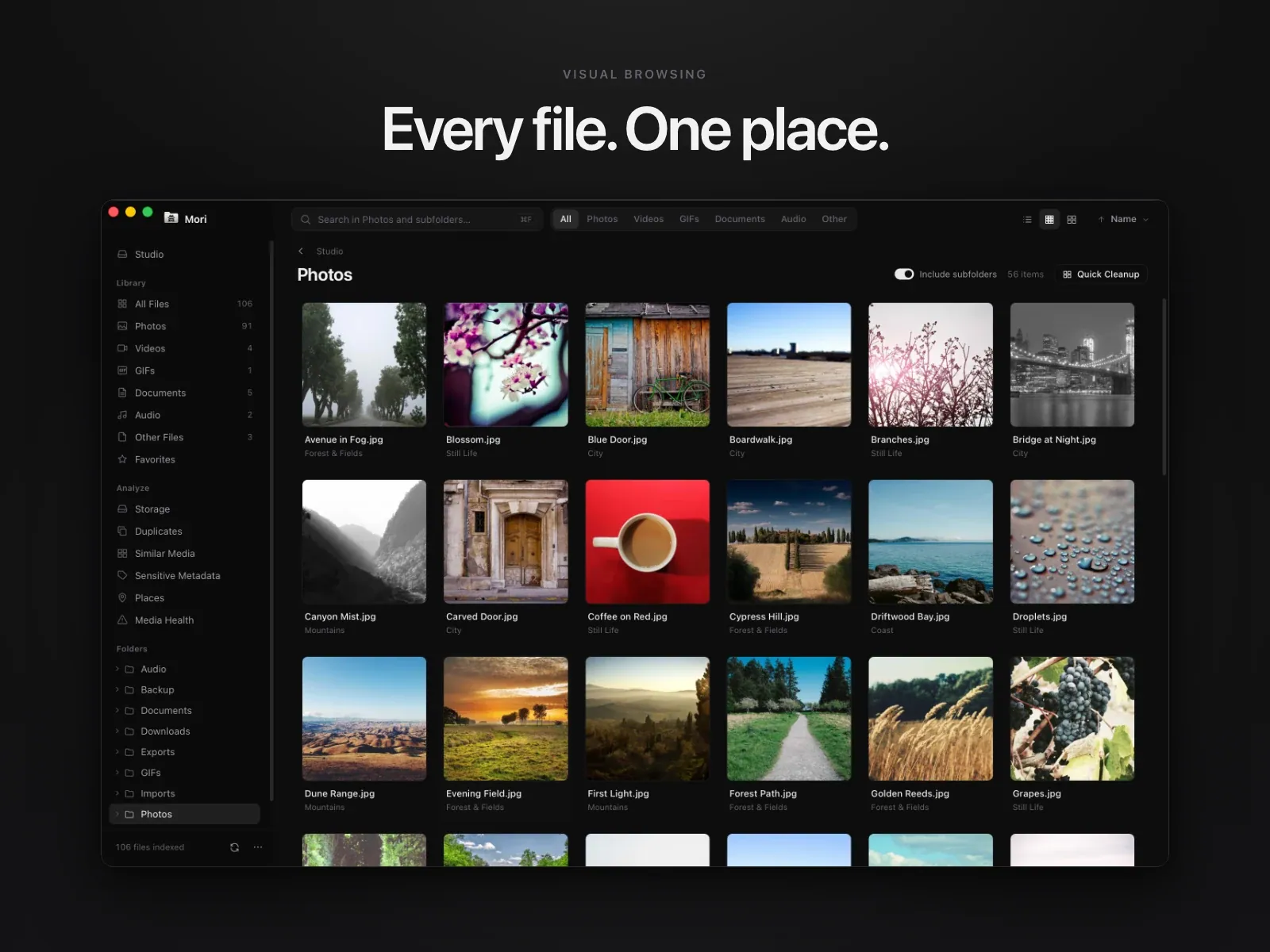
Browse
Gallery, Grid and List views; search across a folder, its subfolders or the whole drive; filters for photos, videos, GIFs, documents, audio and screenshots.
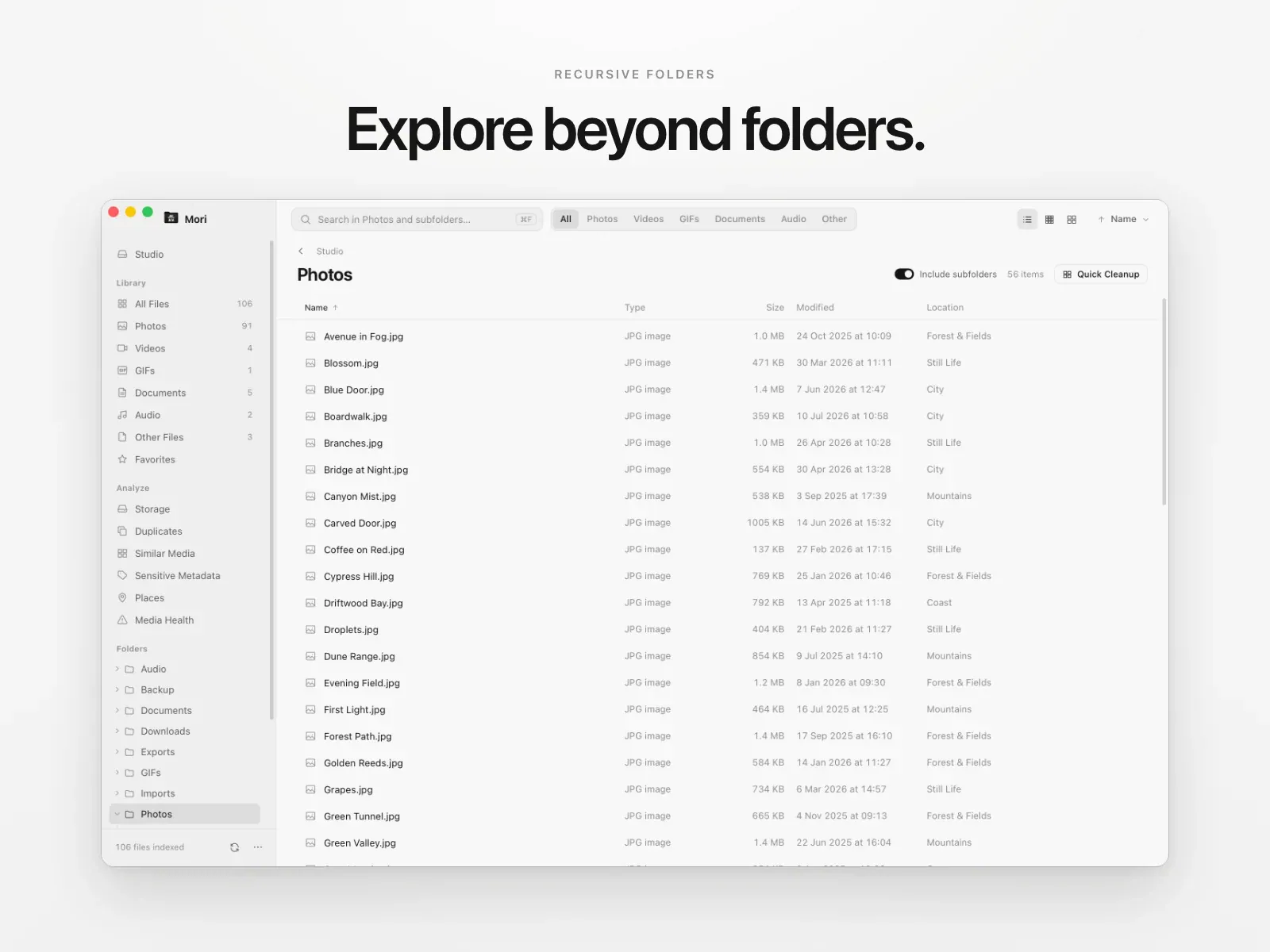
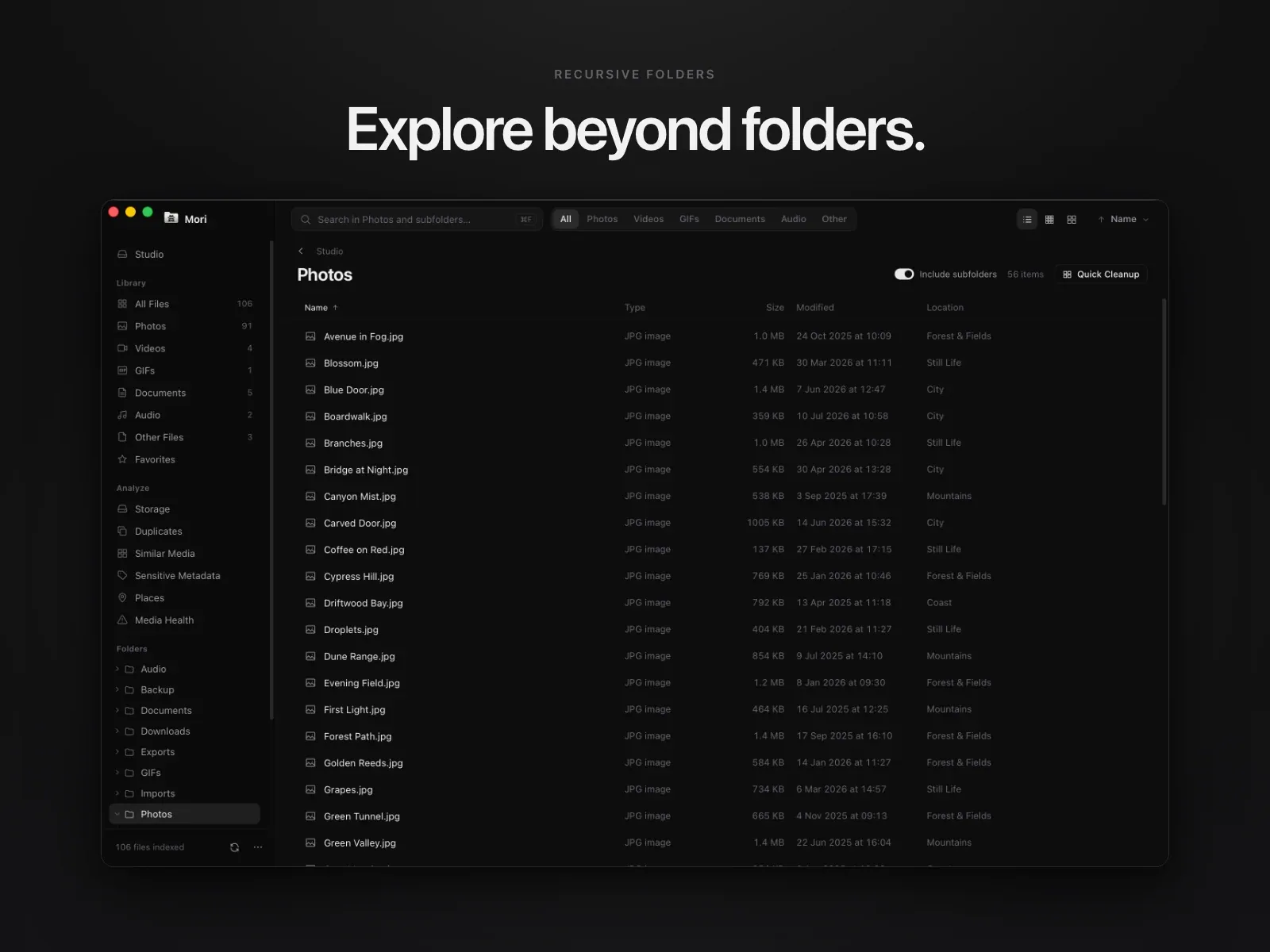
Explore beyond folders
Include subfolders shows everything below a folder in one view, with a Location column so you always know where a file lives.
Inspect
The real file type and risk indicators — disguised executables, double extensions, hidden characters — plus EXIF, XMP, IPTC, QuickTime and ID3 metadata.
Exact duplicates
Duplicates verified by content hash, across a folder, a drive or your home folder.
Similar media
Near-duplicates and bursts found by perceptual comparison, labelled as estimates, with a suggested best copy and a Compare slider to choose before you remove anything.
Quick Cleanup
Review a folder one file at a time from the keyboard. Decisions are staged and go to the system Trash only after one confirmation.
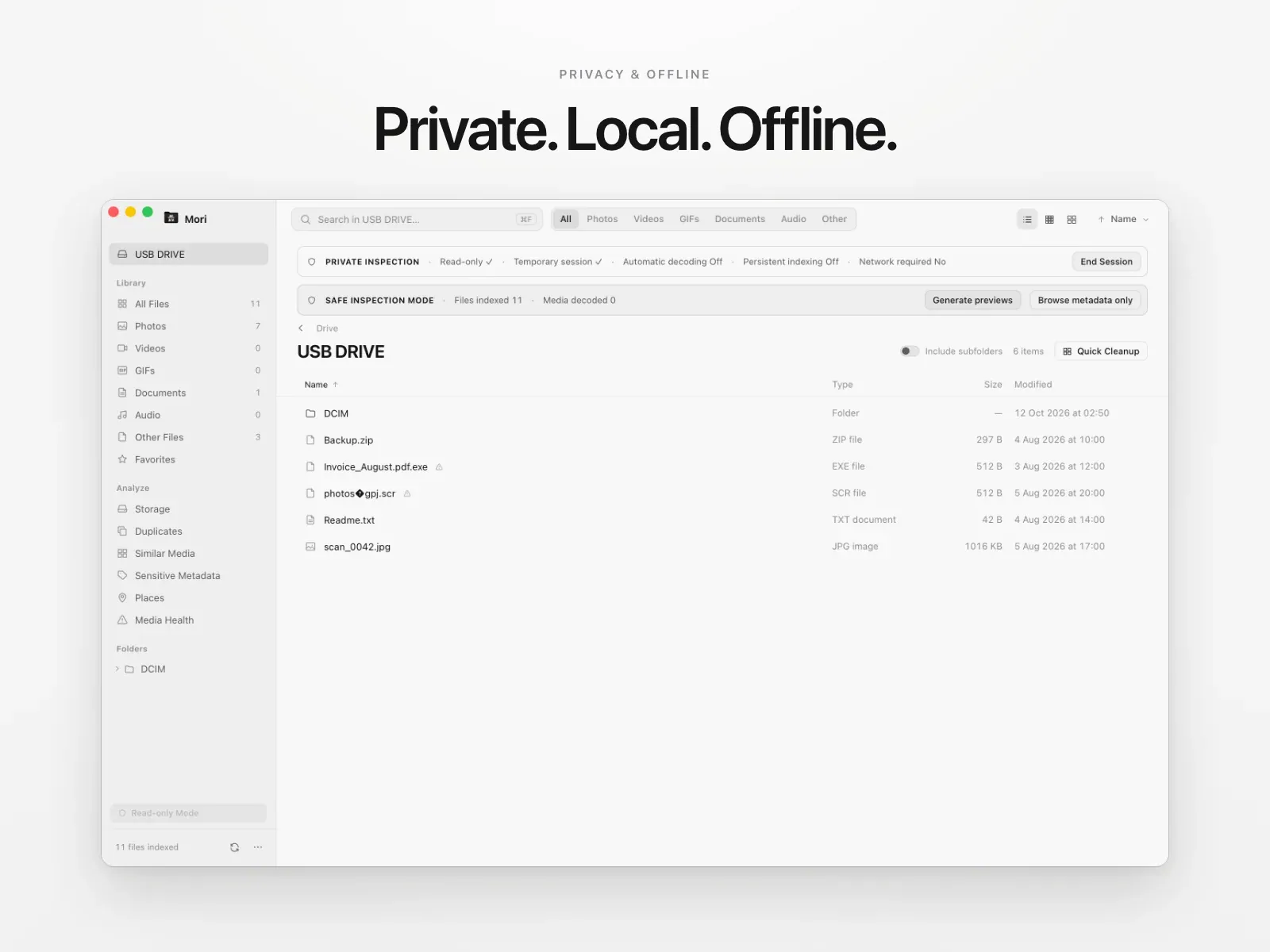
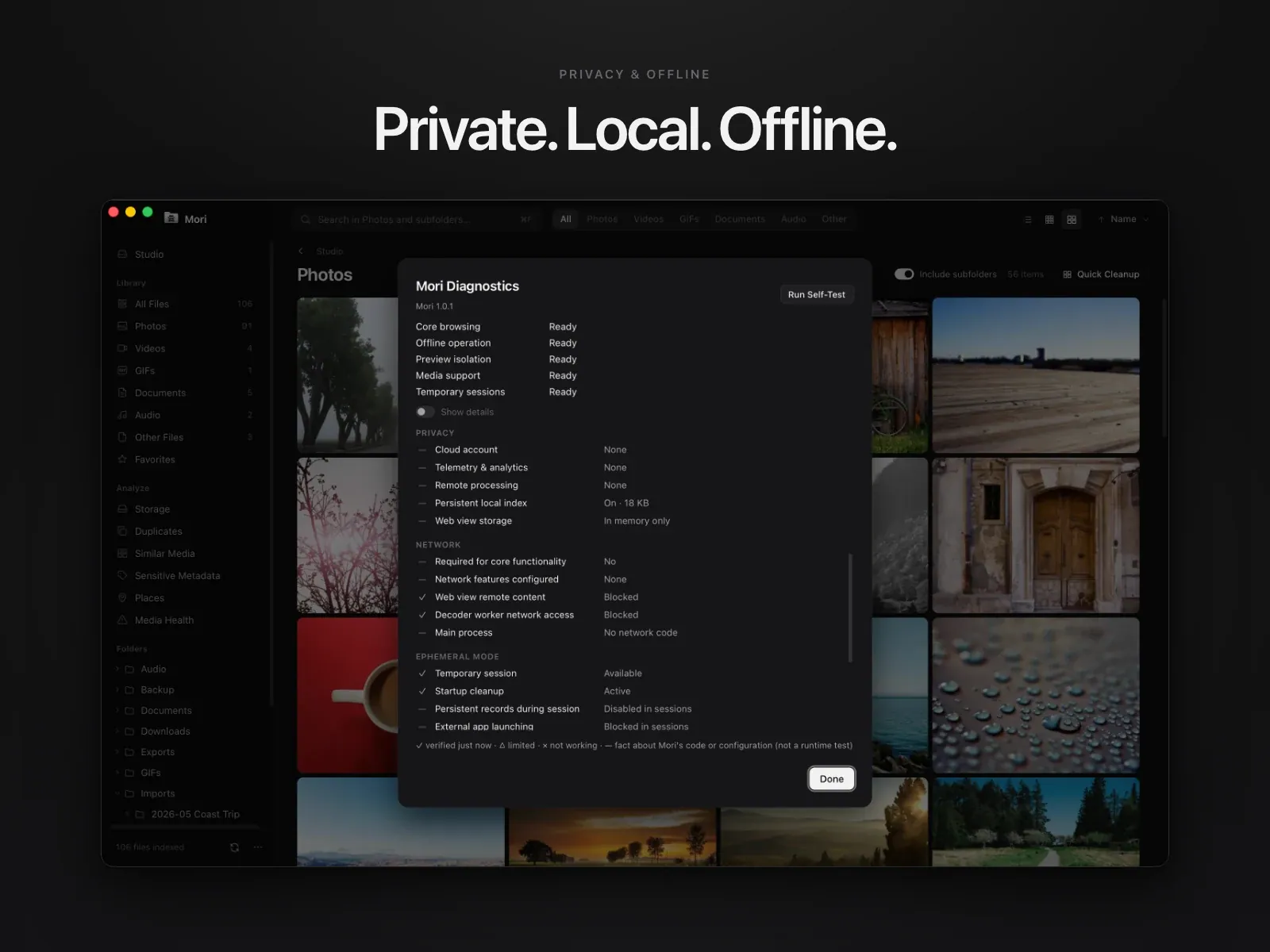
Private, local, offline
Core browsing and analysis work offline, with no account, cloud uploads or developer analytics. Private Inspection avoids the usual saved folder records; local failure and recovery markers can remain.
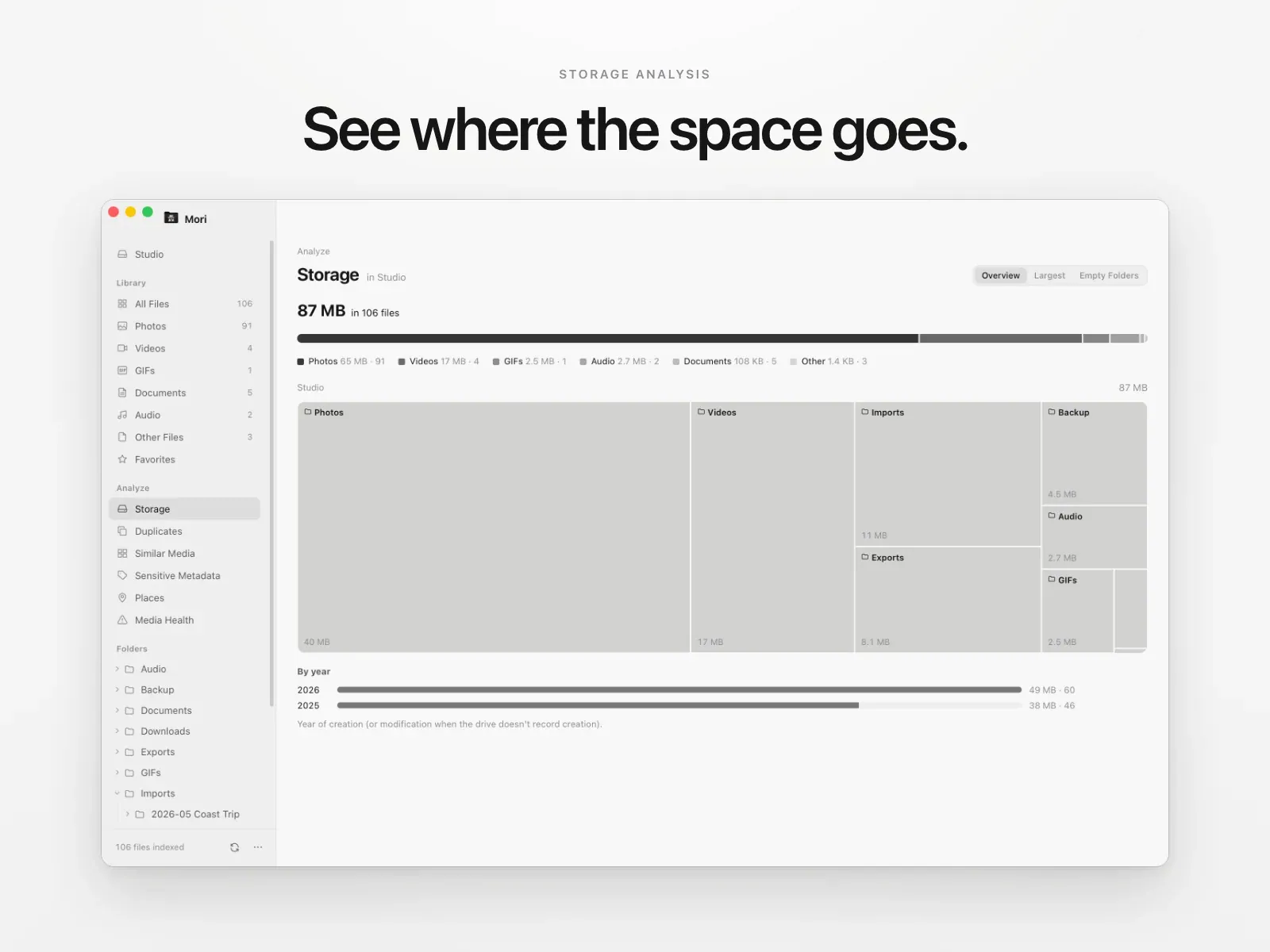
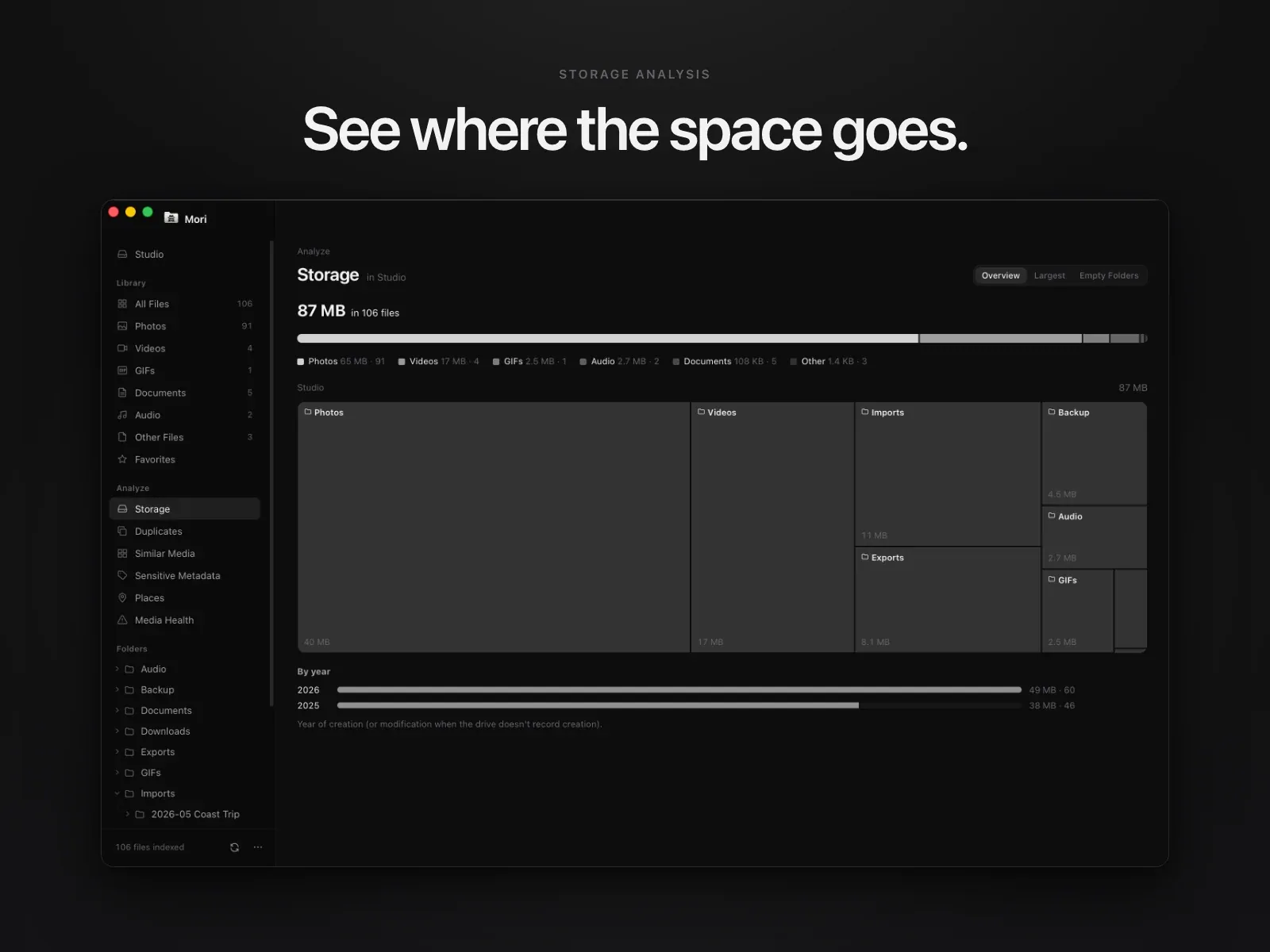
Storage
A treemap of what takes up space, with totals by type and year, that you can drill into.


Four pillars
Privacy. Your files and what Mori learns about them stay on your computer. No account, login, cloud service, telemetry, analytics or remote processing.
Security. The content decides what a file is, never the extension. Decoding happens in a separate process under strict limits. The Mac App Store decoder runs in its own App Sandbox: user-folder and network access are denied, while its private container is writable.
Offline. Browsing, search, previews, analyses, metadata, checksums and integrity checks all work without an internet connection.
Ephemeral inspection. Temporary Session and Private Inspection keep browsing indexes, previews and analysis results in memory and avoid the usual saved folder records. Local failure and recovery markers can remain; these modes do not erase operating-system traces or backups.


Limitations, stated plainly
Video and audio are played by the system's own media engine, which is outside Mori's sandbox. HEIC previews, PDF previews, new-drive detection and Undo for Trash are macOS-only. Similar Media is probabilistic — review its suggestions before removing anything. And Mori can't remove traces created outside it, such as file-system journals, snapshots or Spotlight.
Where it runs
Each platform has its own version, requirements and price.
| Platform | Status | Version | Requires | Price | Select |
|---|---|---|---|---|---|
| macOS Desktop app | Available | v1.1.0 | macOS 12 or later | €4.99 One-time purchase | |
| Windows Desktop app | Available | v1.1.0 | Windows 10 or later | €4.99 One-time purchase | |
| Linux Desktop app | Available | v1.1.0 | 64-bit (x64) Linux | €4.99 One-time purchase |
Pricing
One-time purchase
€4.99· One-time purchase
Pay once, keep it.
macOS paid upfront. The Mac App Store displays your storefront price.
What’s new
Version historyv1.0.1 macOS · Windows · Linux
Everyday file management
A patch release focused on everyday file management, plus video and tag fixes. Mori stays local and offline-first.
- New Desktop-style selection in every view and in search results — click, Cmd/Ctrl-click, Shift-click, Shift-arrows and select all — with a selection bar for the common actions
- New Move to… and Copy to… for files and folders, with a preview first and Keep Both, Replace or Skip on conflicts; nothing is overwritten in place
- New Drag and drop onto folders in the grid, list and sidebar, through the same checks as Move to…
- New Quick Cleanup — review a folder one file at a time from the keyboard; decisions are staged and only go to the system Trash after one confirmation
Privacy
Core file processing stays on your Mac, with no account, cloud uploads, ads or developer analytics. Local records, Apple services and support requests are explained in the privacy policy.
- Mori writes to a browsed drive only when you explicitly ask it to.
- Privacy & Local Data lists every item Mori stores, with sizes, and clears it selectively.
- Local failure and recovery markers can remain, including a panic marker; there is no automatic developer crash-upload service.
Information
- Developer
- emagrina
- Type
- Desktop app
- Category
- Privacy & Security, Photo & Media, Utilities
- Released
- 6 October 2026
- Updated
- 26 October 2026
- Source code
- Private source
You may also like


More from emagrina
- Cost in Life Everything has a price. Some prices aren't money.Mobile app for iOS Free In-app purchases
- Cutlisse Product photos, ready to sell.Desktop app for macOS; Mobile app for iOS, iPadOS Free In-app purchases
- Formilo Fill in PDF forms. Your details remembered, on your device.Desktop app for macOS; Mobile app for iOS, iPadOS Free In-app purchases
- Kinlora Stay close to those who matter.Mobile app for iOS Free Paid plans available · In-app subscriptions
- Listphoto Listing photos, ready in one tap.Desktop app for macOS; Mobile app for iOS, iPadOS Free Paid options · varies by platform
- Pet Passport Everything about your pet. In one place.Mobile app for iOS Free Plans from €3.99 once · Ads · In-app purchases
- Picreduce Make any photo fit the form.Desktop app for macOS; Mobile app for iOS, iPadOS Free In-app subscriptions
- Rebost In development Less waste. More home.Mobile app for iOS, iPadOS, Android Free Paid plans available
- Recevra Paper gone. Numbers right.Desktop app for macOS; Mobile app for iOS, iPadOS Free In-app purchases
- Sushimaru: Sushi Counter Count every piece. Savour every bite.Mobile app for iOS Free In-app purchases
- Where Did My Life Go? Discover where your time really goes.Mobile app for iOS Free In-app purchases


