


RINORO
Know what your hardware really is.
- Type
- Desktop app
- Runs on
- macOS
- Get it
- In development
- Price
- Free
Screenshots
-
Know what your hardware really is.
-
Verified, observed, inferred or not published — nothing is guessed.
-
Codec, latency, encryption and the radio chip's maker, read passively from the system log.
-
Supported, unsupported, or still to verify — never assumed.
-
Each missing field explains what was checked and where the answer can be found.
-
Firmware, SMART health, cycle counts and power-only USB-C links, in the same evidence model.
-
A deterministic investigation separates what is known, what isn't, and what to test next.
-
A policy engine checks every action. Discovery is passive, AI runs locally.
About RINORO
RINORO is a laboratory for the hardware around you. It inspects the devices connected to your Mac — headphones, keyboards, drives, chargers, displays, cameras — and tells you what each one really is, what it can do, and how it knows.
Every fact carries its evidence: verified, observed, inferred or not published by the device. When a device stays silent, RINORO says what it checked and where the answer could still be found. It answers "we can't verify that yet" when that's the truth.
Ask in plain words — can these headphones switch automatically between my Mac and my phone? — and a deterministic investigation separates what is known, what isn't, and what to test next.
Discovery is passive and read-only. A policy engine checks every action, device writes are disabled, optional AI runs locally, and nothing leaves your Mac unless you turn online research on.
RINORO is in development for macOS.
Highlights
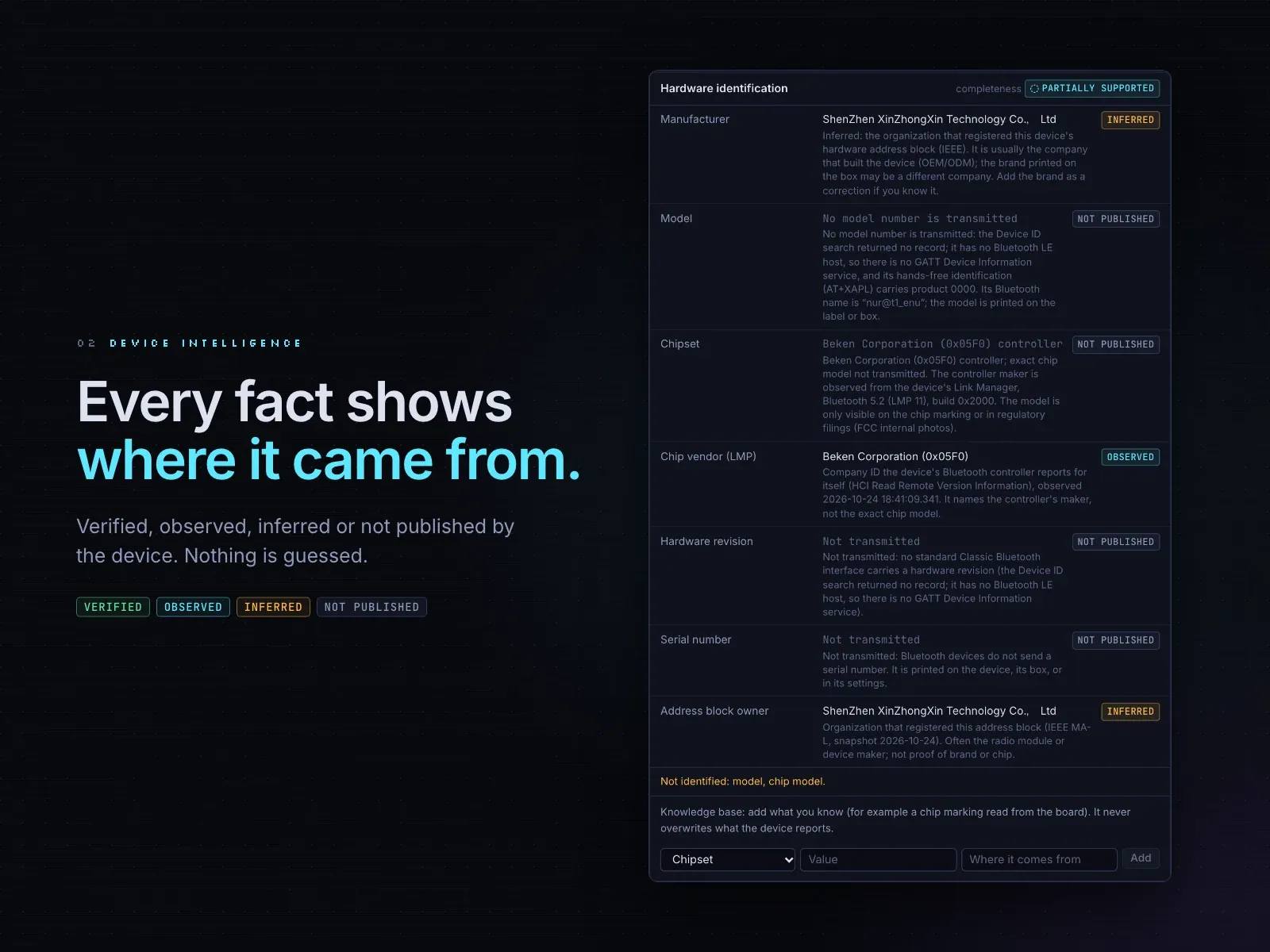
Evidence for every fact
Every field is a verified value, an observation, an inference with its evidence, or the reason it isn't available — never a bare "unknown".
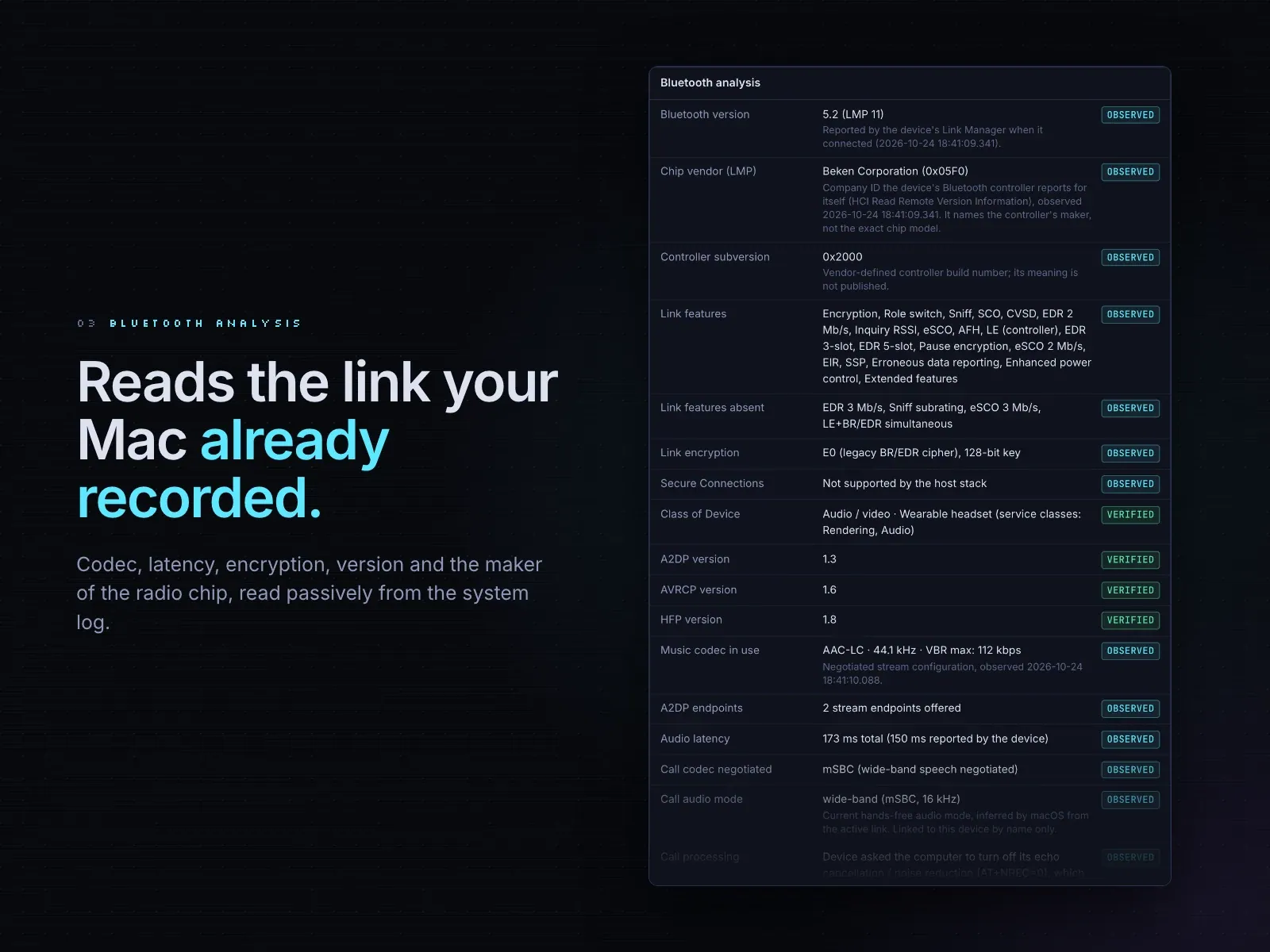
Bluetooth link analysis
The Link Manager version, the controller's maker, link features and encryption, negotiated codec, bitrate and latency, and measured link quality — read passively from what macOS already logged.
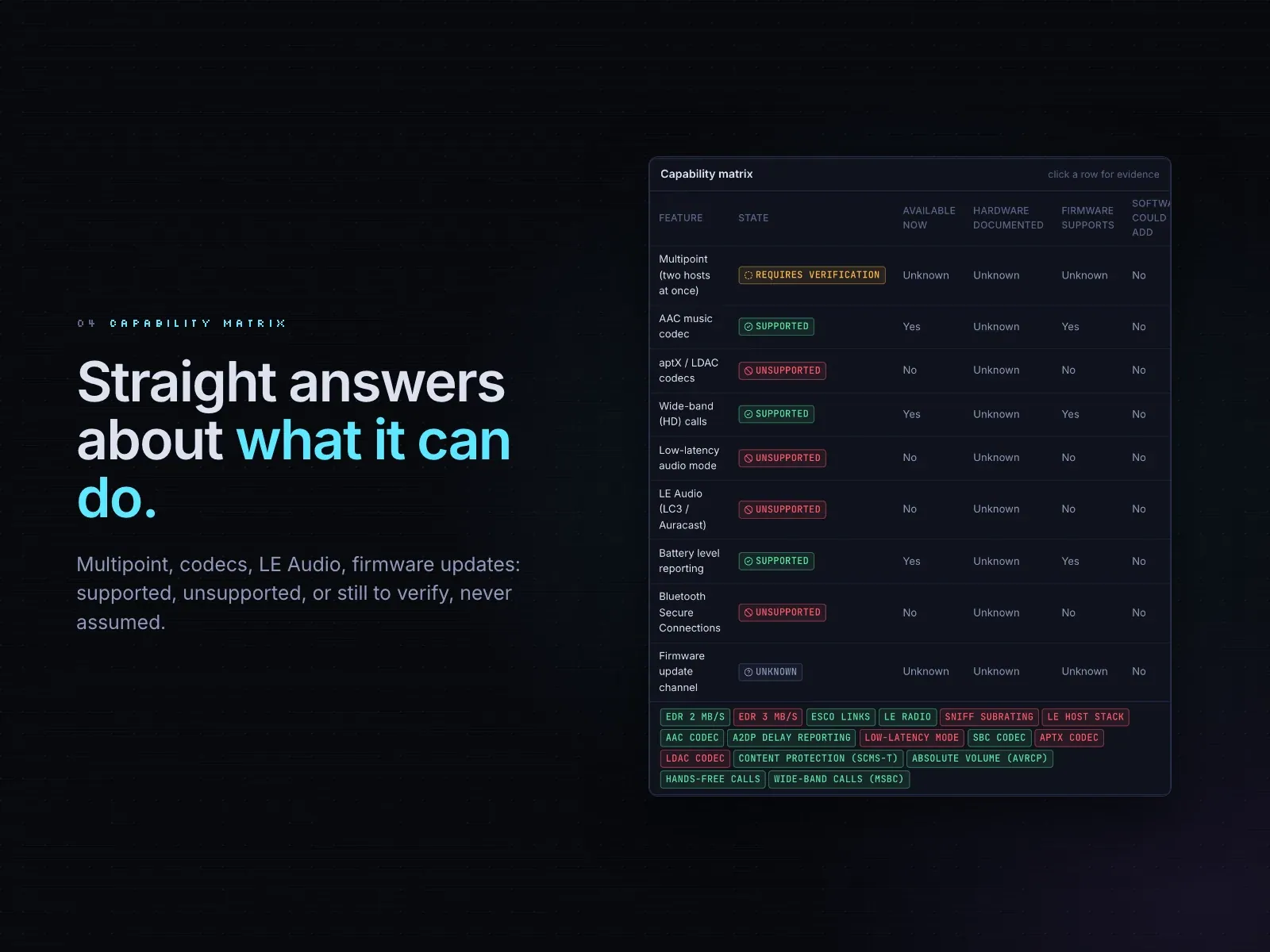
Capability matrix
Multipoint, codecs, wide-band calls, LE Audio, battery reporting and firmware updates — supported, unsupported, partially supported, unknown or requiring verification, each with its evidence.
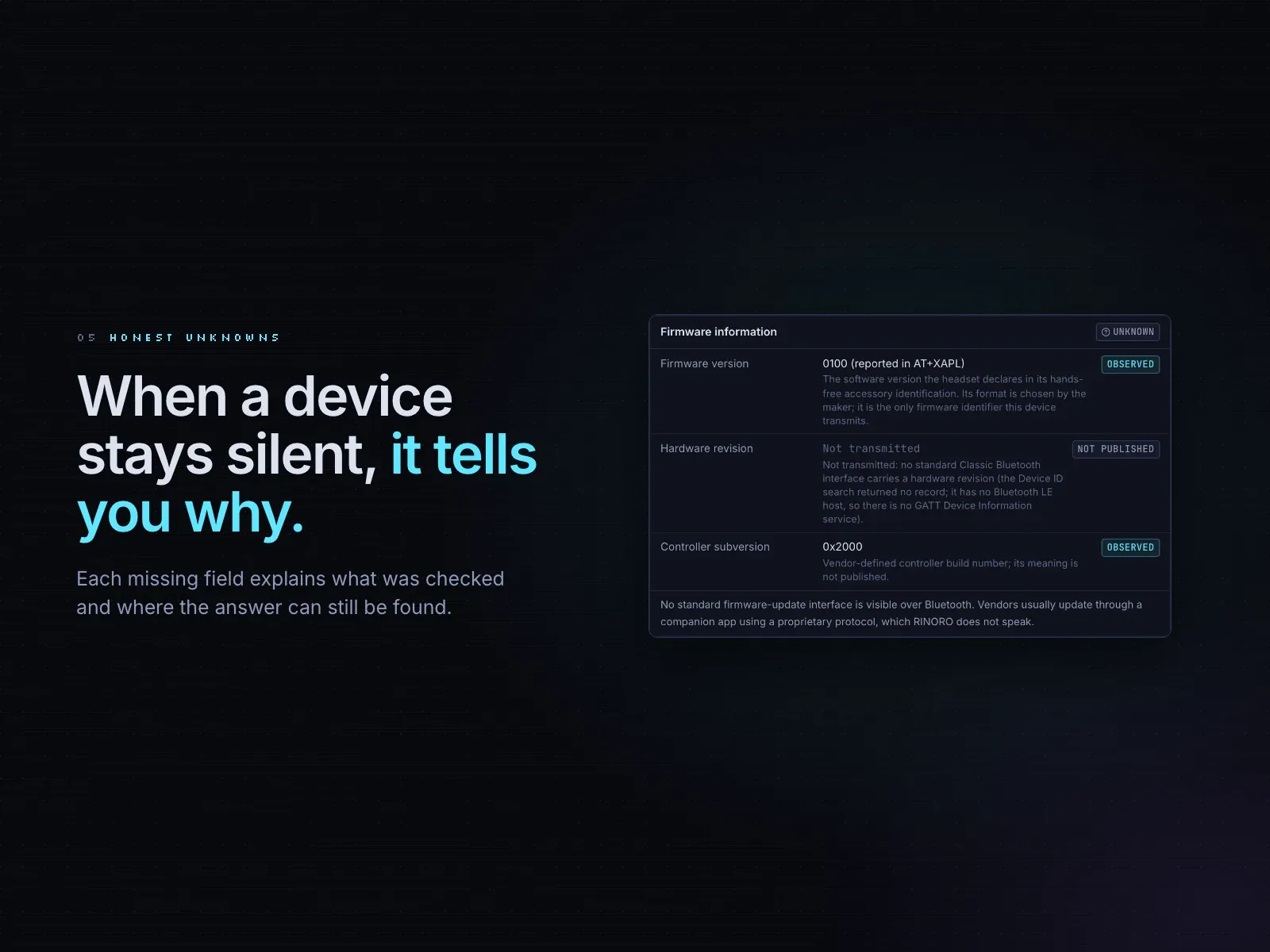
Honest unknowns
When a device doesn't publish something, RINORO says what was checked and where the answer can still be found — a label, a regulatory filing, the maker's app.
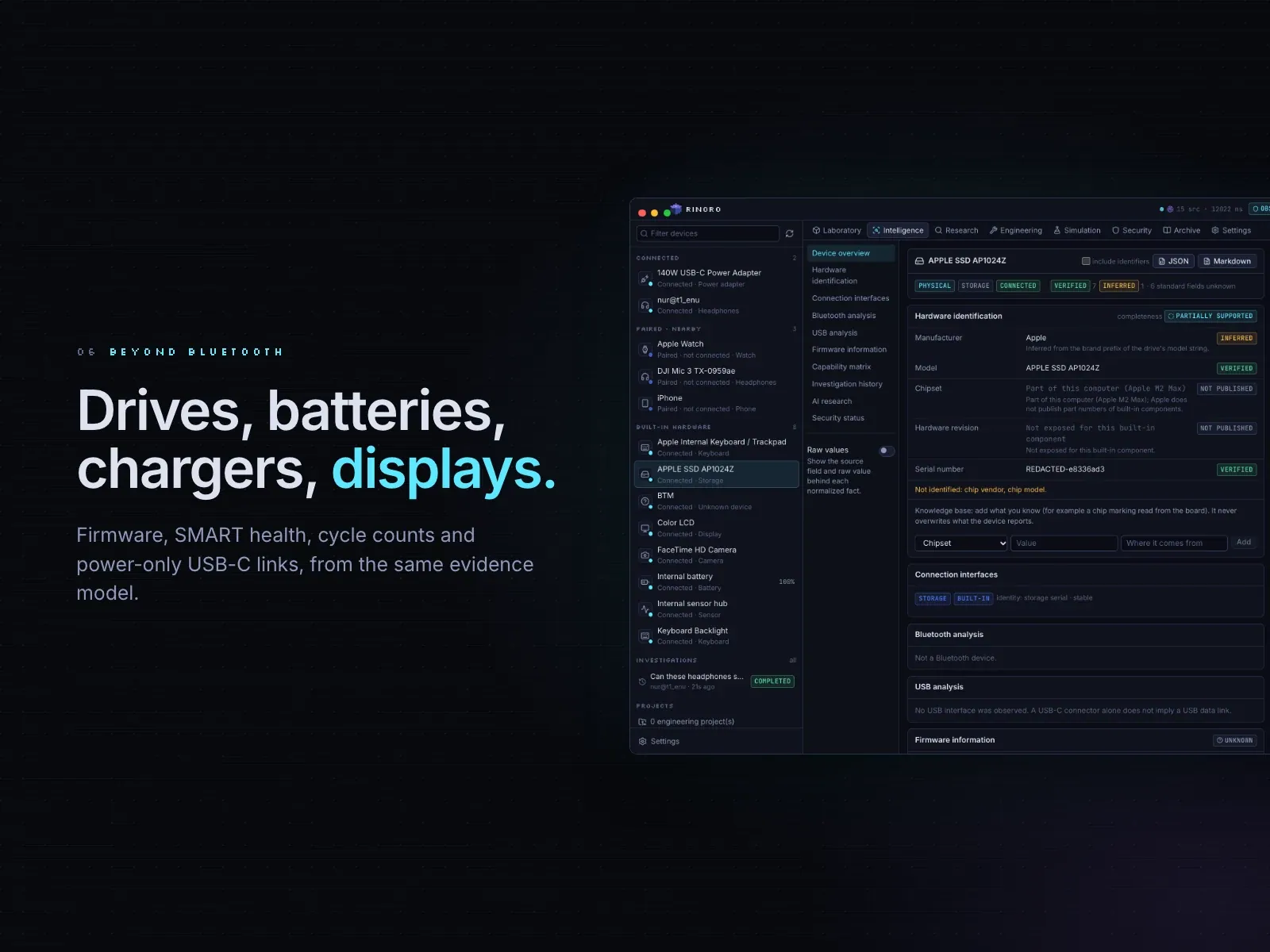
Beyond Bluetooth
USB devices and hubs, drives with their SMART health, the battery's cycles and capacity, USB-C power adapters, displays, cameras and Thunderbolt ports.
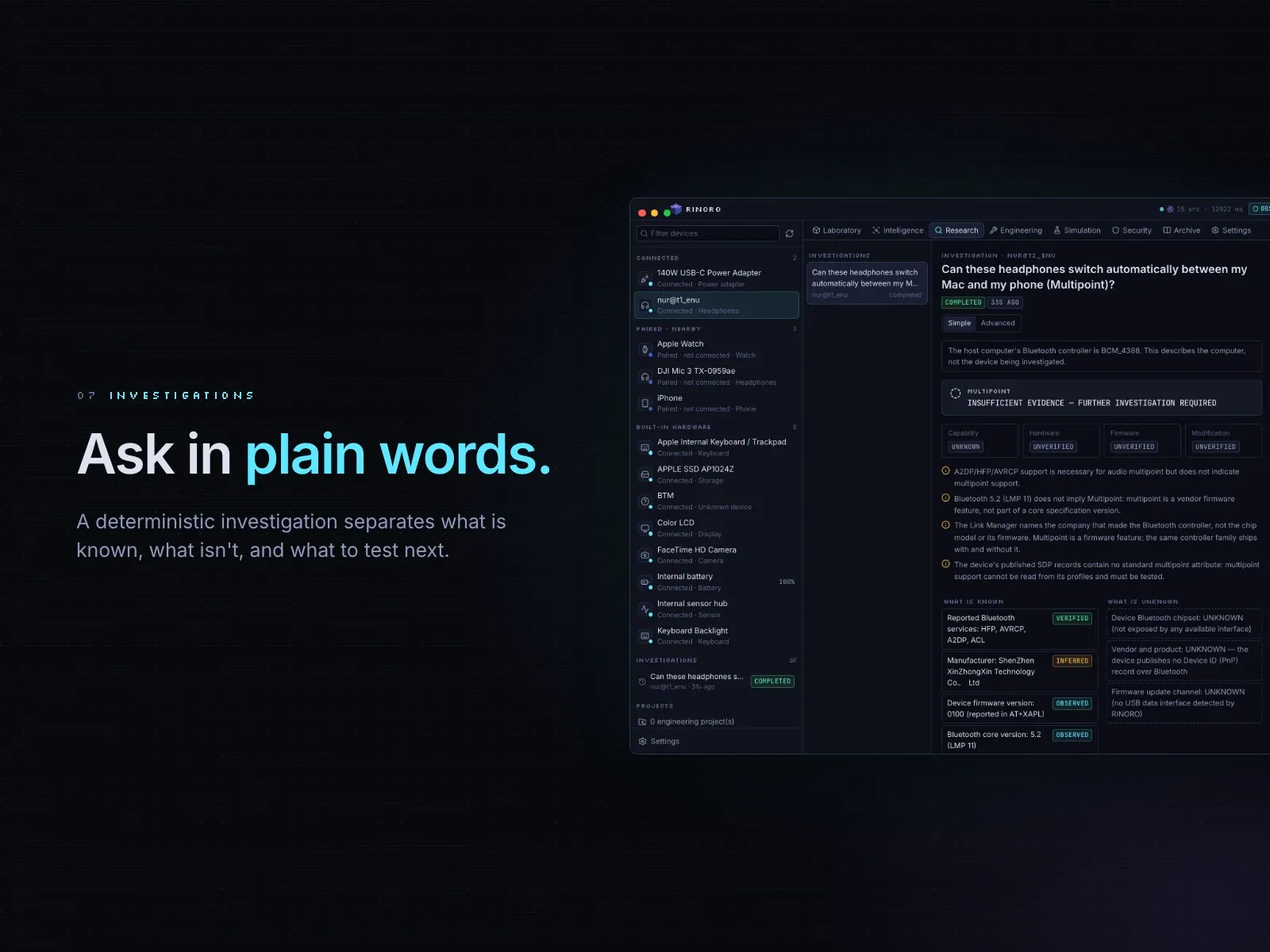
Ask in plain words
Describe what you want a device to do, and an investigation plans the relevant steps, evaluates feasibility with deterministic rules and recommends the safest path.
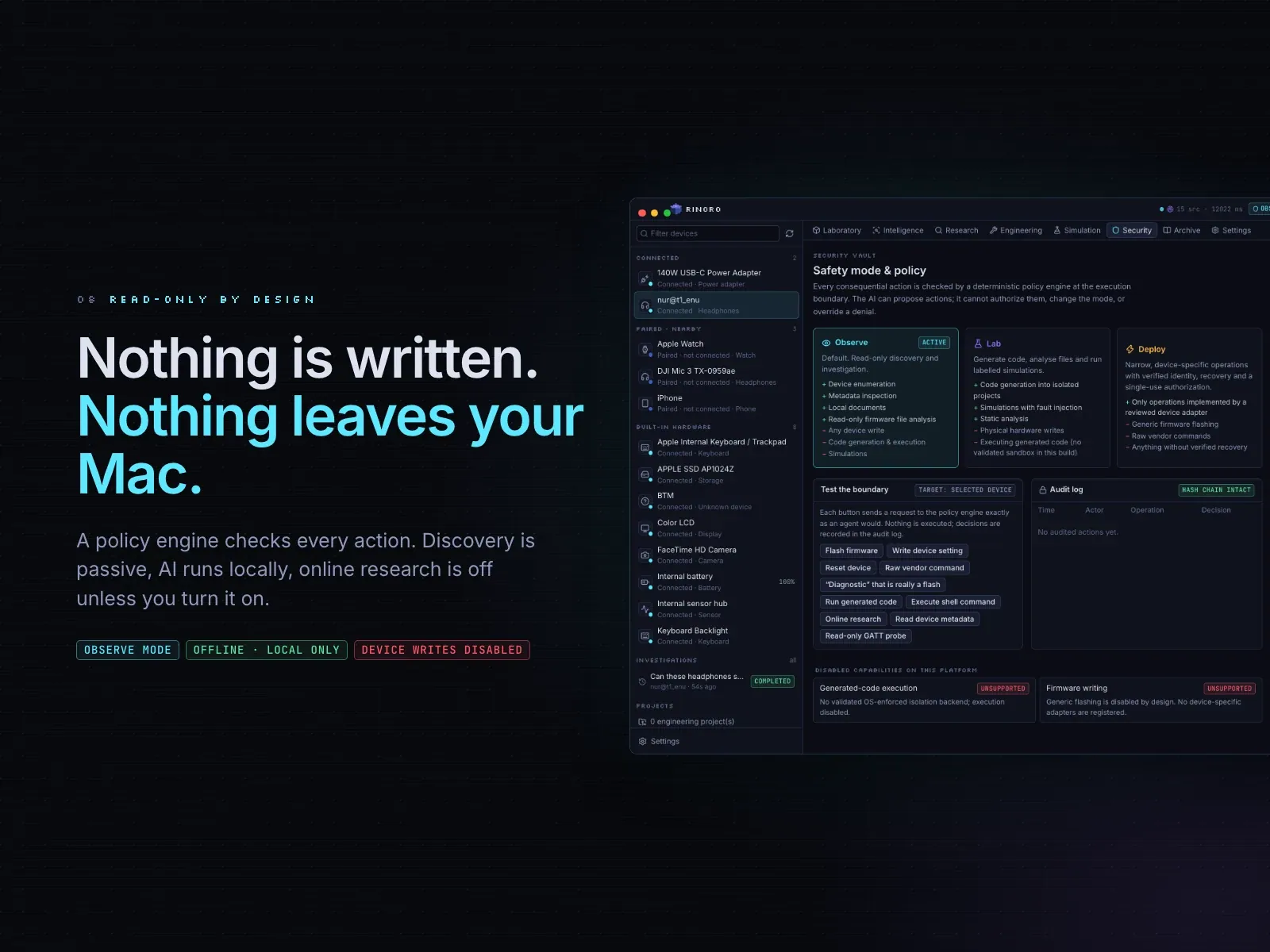
Read-only by design
Observe mode by default, a deterministic policy engine at every boundary, single-use authorizations and a tamper-evident audit log. Device writes and firmware flashing are disabled.


Why it exists
Spec sheets, product pages and forum threads rarely agree on what a device actually is. The Mac already knows a great deal about every gadget it talks to — it just doesn't say. RINORO reads that record, grades every fact by where it came from, and is honest about the gaps, so a question like "does this headset do multipoint?" gets an answer you can trust, or a plain "we can't verify that yet".

Nothing leaves your Mac
Discovery reads what the system already exposes, without touching the device. Active read-only probes — a GATT or SDP query, SMART health — run only when you start them, per device, in Lab mode.
Optional AI talks only to a model on your own machine. Online research is off until you turn it on, reaches only allowlisted sources and never sends identifiers.

Limitations, stated plainly
The exact chip model and firmware of Classic Bluetooth devices aren't exposed by any standard interface. Link details come from the system log, so they appear only after a device has connected while the log still held it. SMART detail needs the free smartmontools package. Windows and Linux support is experimental and not validated on real hardware.
Pricing
Free
Free
RINORO is free to use.
Privacy
Local-first. Discovery is passive and read-only, AI runs on your own machine, and nothing leaves your Mac unless you turn online research on.
- Bluetooth addresses and serial numbers are redacted in exports.
- Online research is opt-in, user-started, limited to allowlisted sources and refuses identifiers.
- Local-network discovery is opt-in and never port-scans.
Information
- Developer
- emagrina
- Type
- Desktop app
- Category
- Utilities, Developer Tools, Privacy & Security
- Source code
- Private source
- Languages 1
- English
You may also like


More from emagrina
- Cost in Life Everything has a price. Some prices aren't money.Mobile app for iOS Free In-app purchases
- Cutlisse Product photos, ready to sell.Desktop app for macOS; Mobile app for iOS, iPadOS Free In-app purchases
- Formilo Fill in PDF forms. Your details remembered, on your device.Desktop app for macOS; Mobile app for iOS, iPadOS Free In-app purchases
- Kinlora Stay close to those who matter.Mobile app for iOS Free Paid plans available · In-app subscriptions
- Listphoto Listing photos, ready in one tap.Desktop app for macOS; Mobile app for iOS, iPadOS Free Paid options · varies by platform
- Mori A private, offline media and file browser.Desktop app for macOS, Windows, Linux €4.99 One-time purchase
- Pet Passport Everything about your pet. In one place.Mobile app for iOS Free Plans from €3.99 once · Ads · In-app purchases
- Picreduce Make any photo fit the form.Desktop app for macOS; Mobile app for iOS, iPadOS Free In-app subscriptions
- Rebost In development Less waste. More home.Mobile app for iOS, iPadOS, Android Free Paid plans available
- Recevra Paper gone. Numbers right.Desktop app for macOS; Mobile app for iOS, iPadOS Free In-app purchases
- Sushimaru: Sushi Counter Count every piece. Savour every bite.Mobile app for iOS Free In-app purchases
- Where Did My Life Go? Discover where your time really goes.Mobile app for iOS Free In-app purchases


