


- Type
- Desktop and Mobile app
- Runs on
- macOS · iOS · iPadOS
- Get it
- From the app stores · Mac App Store
- Price
- Free In-app purchases
Screenshots
-
What it's for — every receipt in one place, with this month's totals.
-
Merchant, date and total, read on the device for you to check.
-
Unsure fields are flagged, and nothing counts until you confirm it.
-
Expense reports, with a total for each currency.
-
A clean CSV for Excel, Numbers or Google Sheets.
-
A monthly breakdown, each currency with its own total.
-
Select receipts to file, recategorize or export them together.
-
Private — on your device, with no account and no cloud.
-
PDF reports with every photo, with Recevra Pro.
-
Free to scan, report and export, in 23 languages.
About Recevra
The trip is over, the expense report is due and the receipts are a crumpled pile in your wallet — faded, in three currencies, one of them probably scanned twice.
Recevra keeps them in order. Photograph a receipt with the document camera, or bring it in from Photos, Files or Mail, and Apple's text recognition reads the merchant, date, total, tax and currency on your device. You check what it found and confirm it: a field it isn't sure about is flagged, never guessed, and a receipt with the same total on the same day gets a warning before it's claimed twice.
Group receipts into expense reports, see a total for each currency — never converted — and mark a report as submitted. Export a report, a month, the year or any date range as a CSV that opens cleanly in Excel, Numbers or Google Sheets. A monthly breakdown shows where the money went, by category, merchant and payment method.
There's no account and no cloud: receipts leave the device only when you export or share them. Recevra is free on iPhone, iPad and Mac, in 23 languages. Recevra Pro, a one-time purchase, adds PDF reports with every photo and accent themes, and removes ads.
Highlights
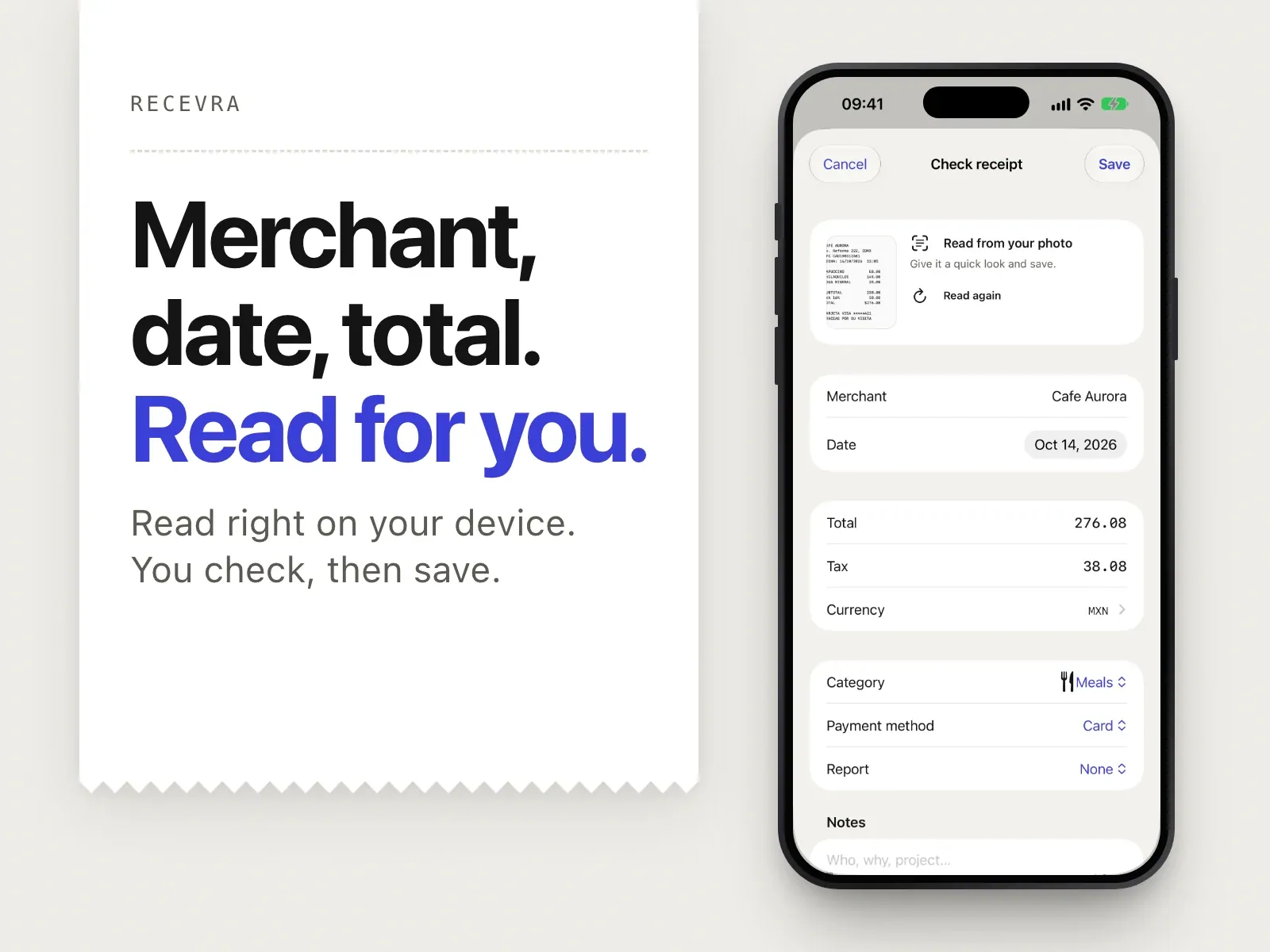
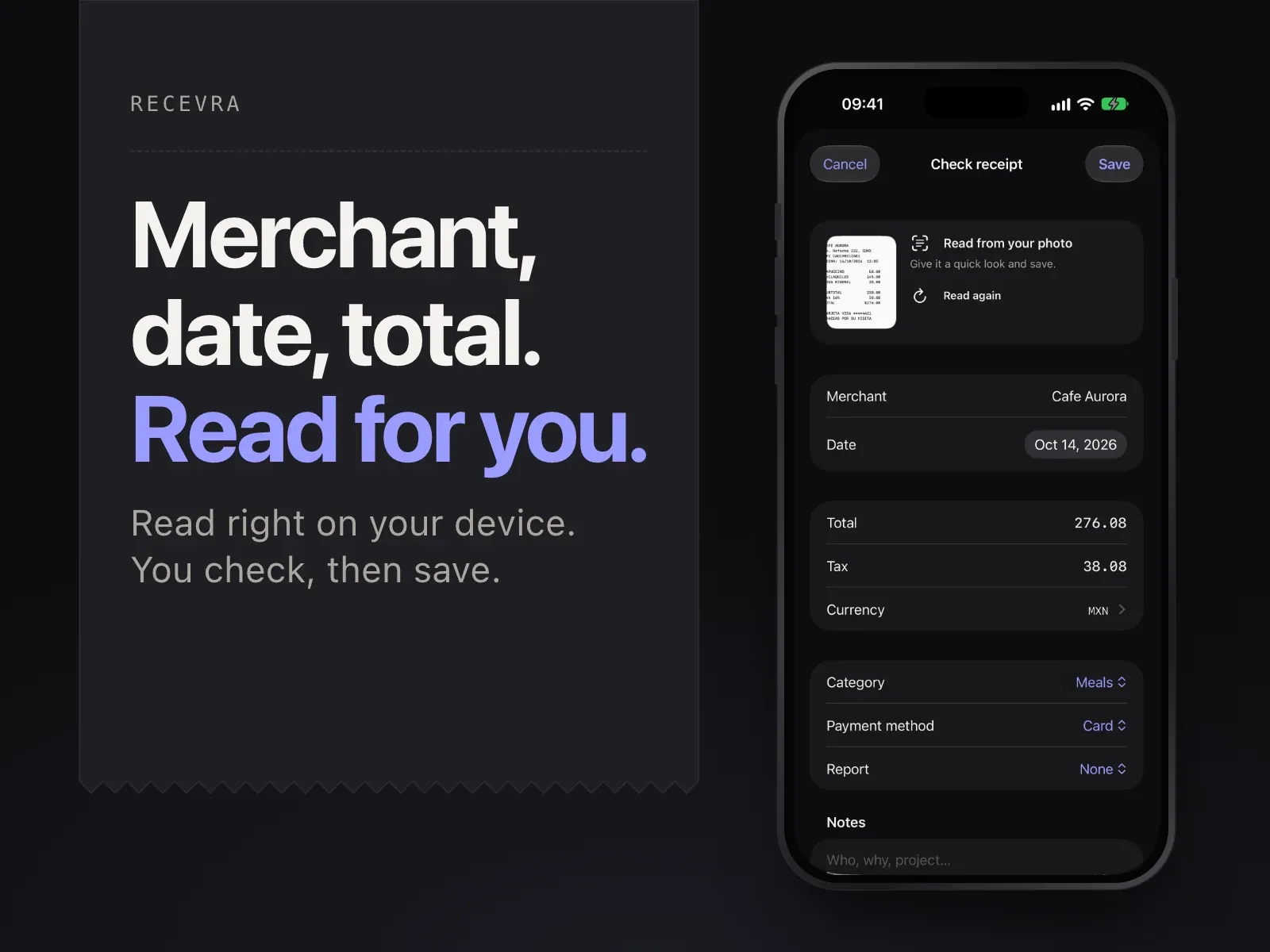
Read for you, on your device
Scan with the document camera — edges found, several pages at once — or bring receipts in from Photos, Files (images and PDFs) or Mail and any share sheet. Apple's text recognition reads the merchant, date, total, tax and currency on the device, and each page becomes a draft for you to check.
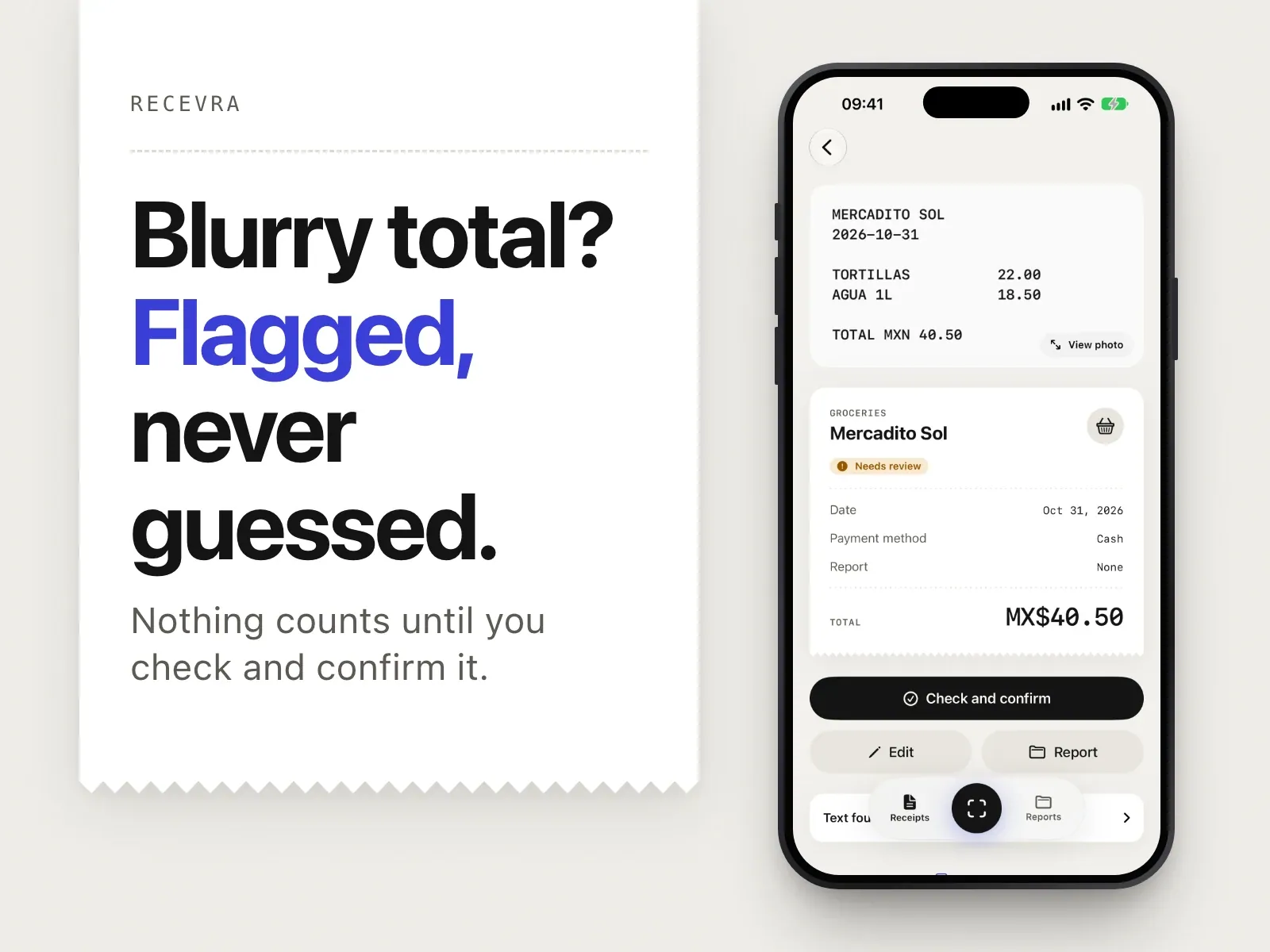
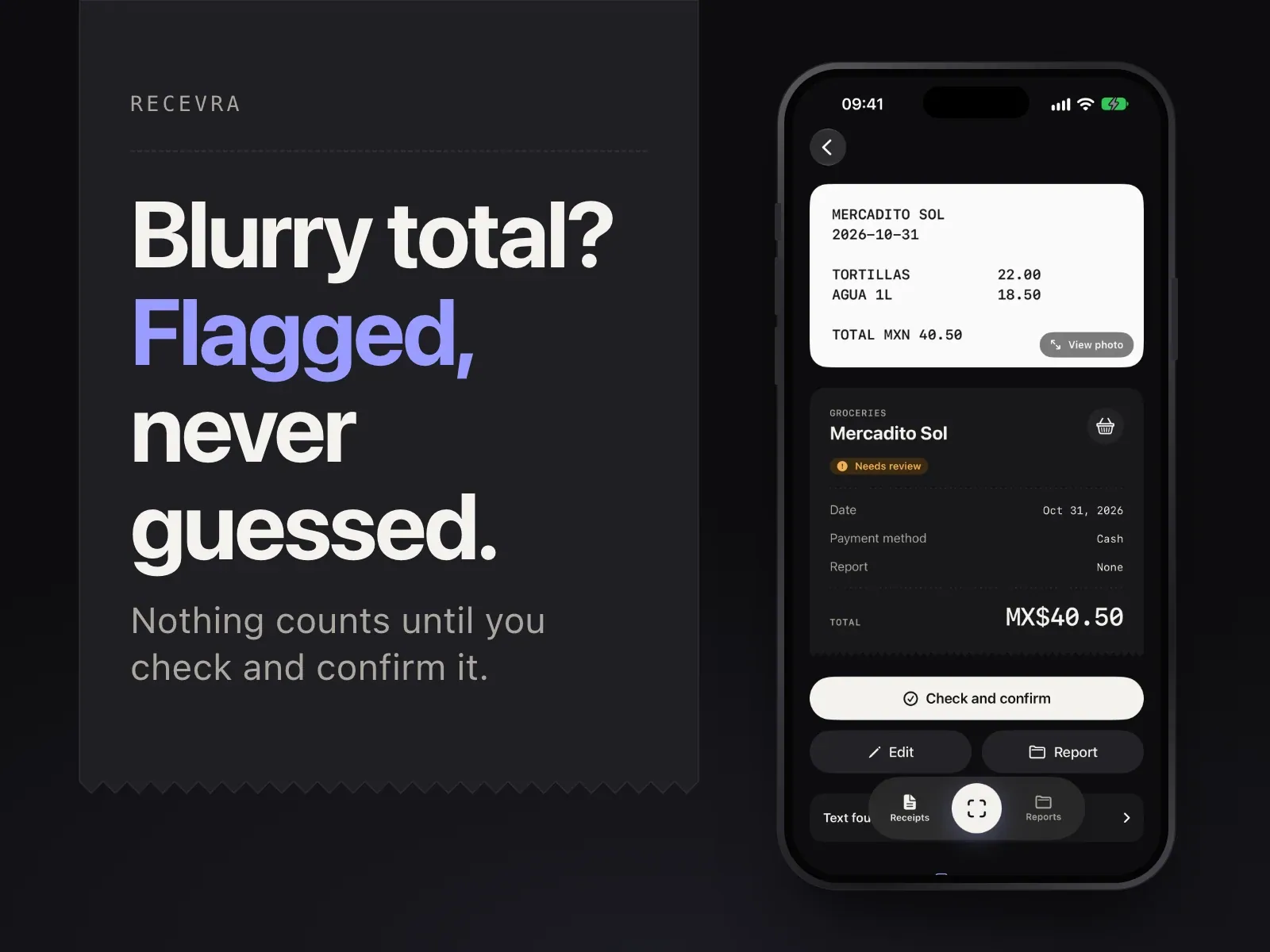
Flagged, never guessed
A field Recevra isn't sure about is flagged, and a receipt stays Needs review until you confirm it. Save and check next walks through every draft, and a receipt with the same total and currency within a day of another gets a warning before it's claimed twice.
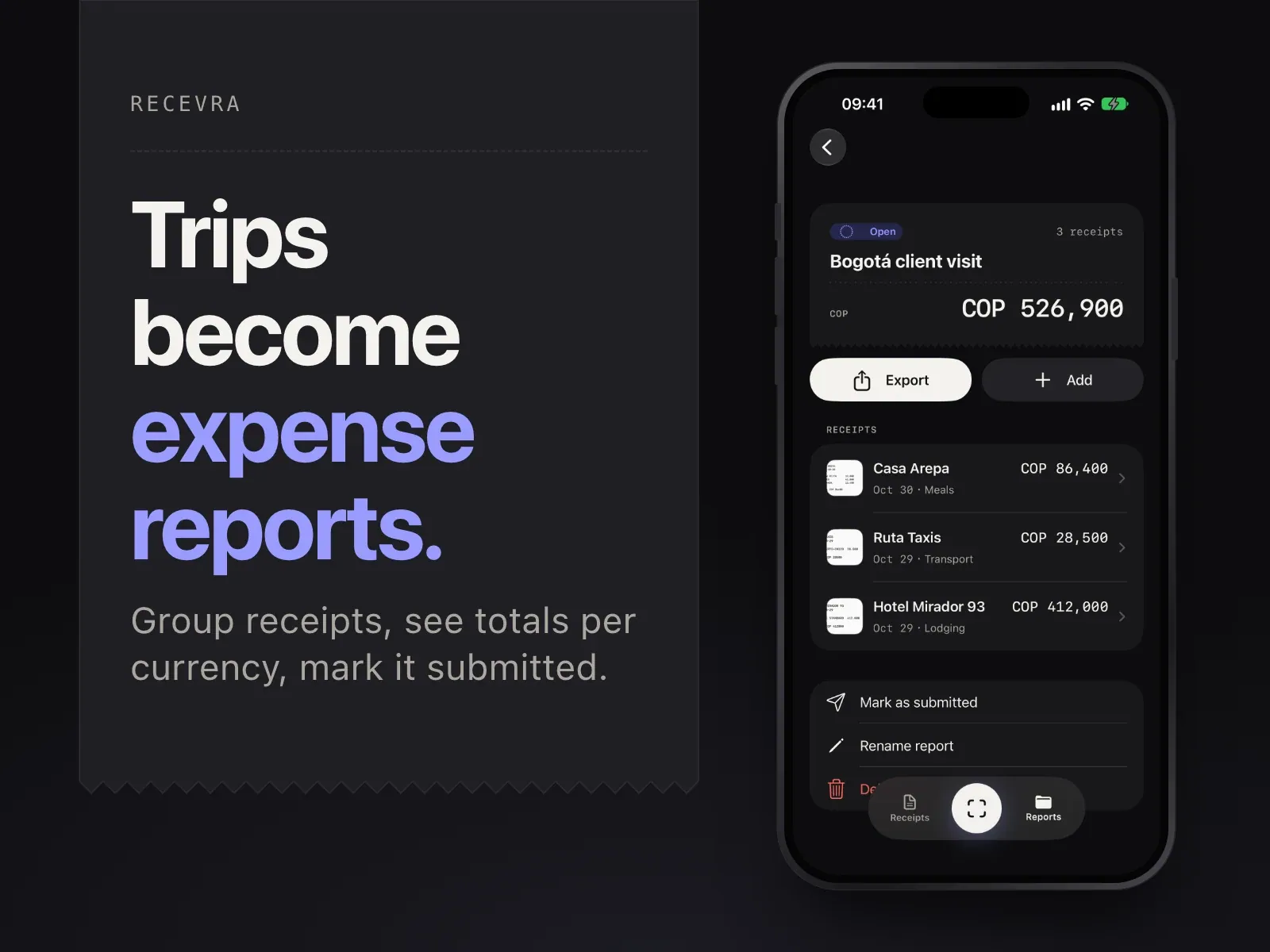
Trips become expense reports
Name a report, add receipts to it and see its totals for each currency. Mark it as submitted when it's handed in, and export it whenever you need it.
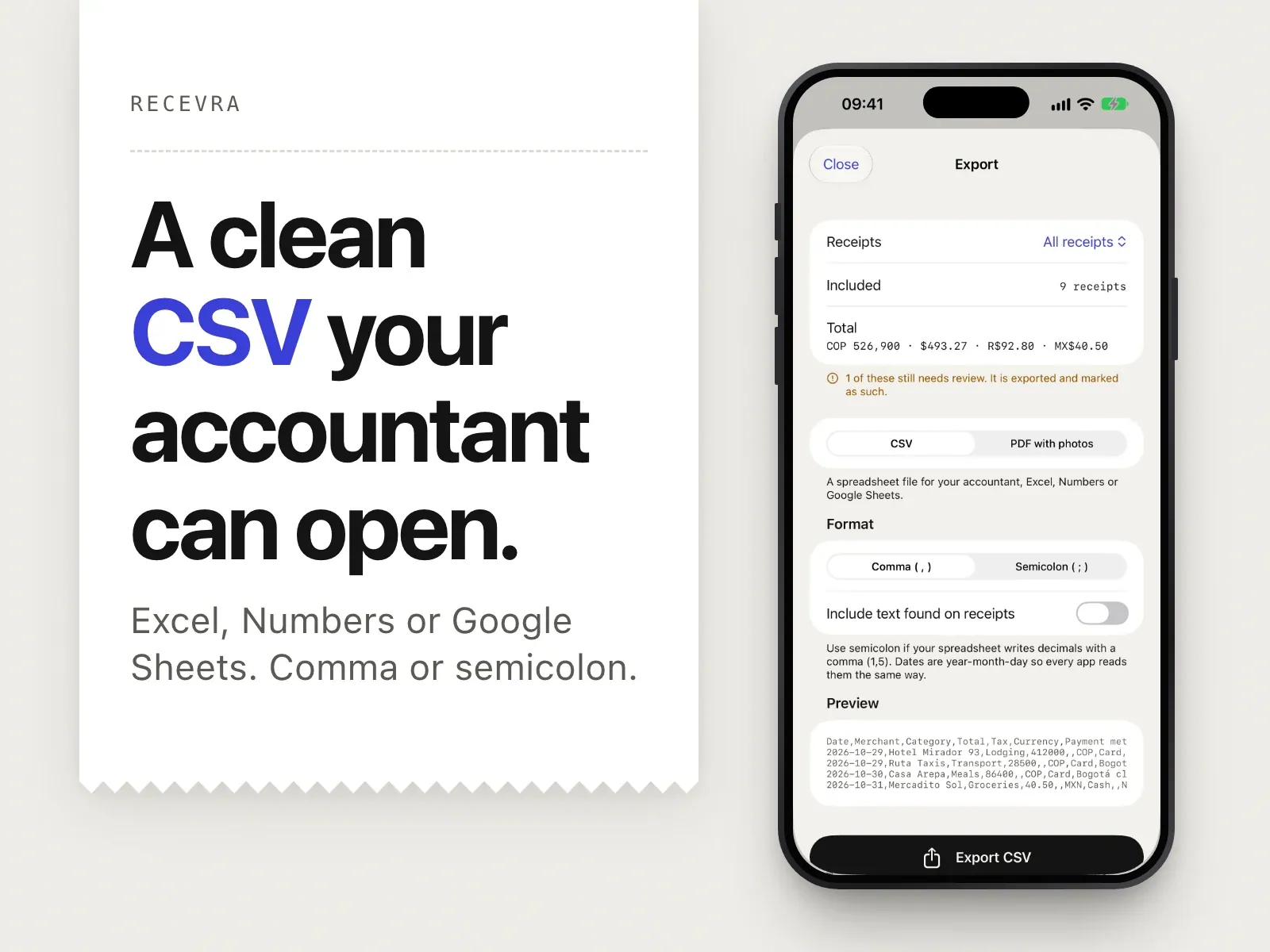
A clean CSV
Export a report, a month, the year, any date range or a selection. Comma or semicolon, ISO dates and currency codes, and an option to include the text found on each receipt — ready for Excel, Numbers or Google Sheets.
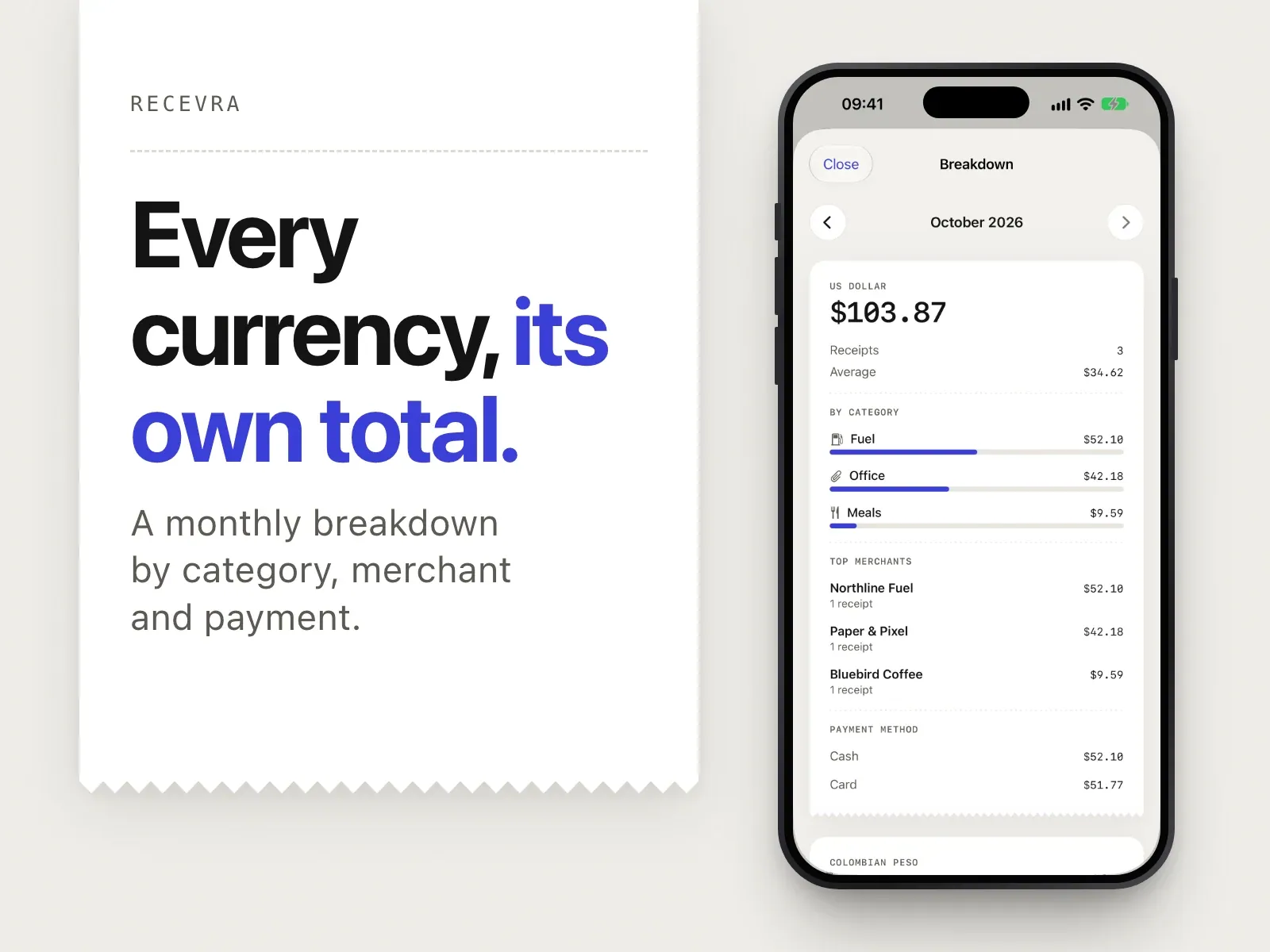
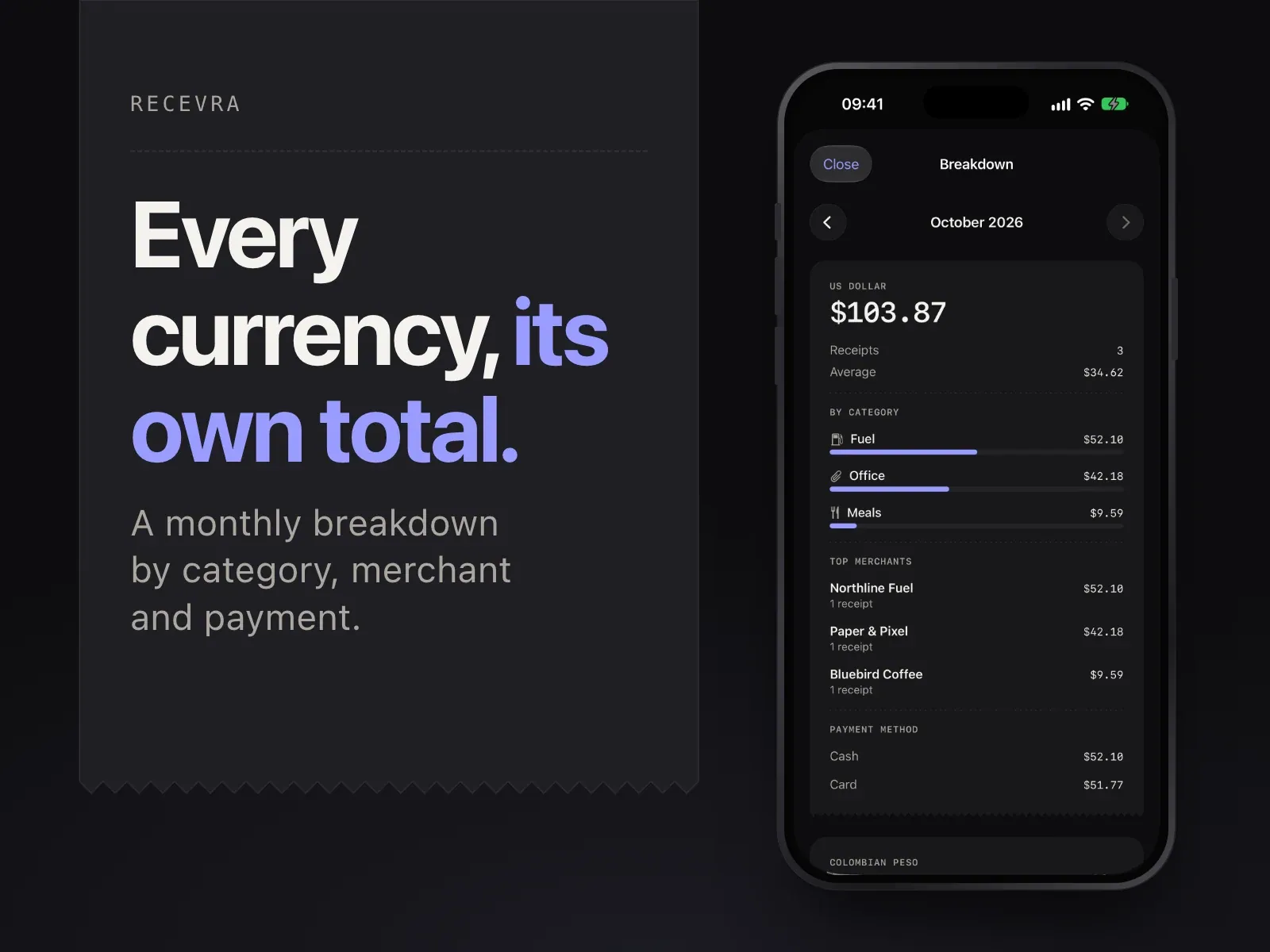
Every currency, its own total
Totals are kept per currency and never converted, so a trip in pesos and reais adds up honestly. The monthly breakdown shows spending by category, tax paid, the average receipt, top merchants and payment methods.
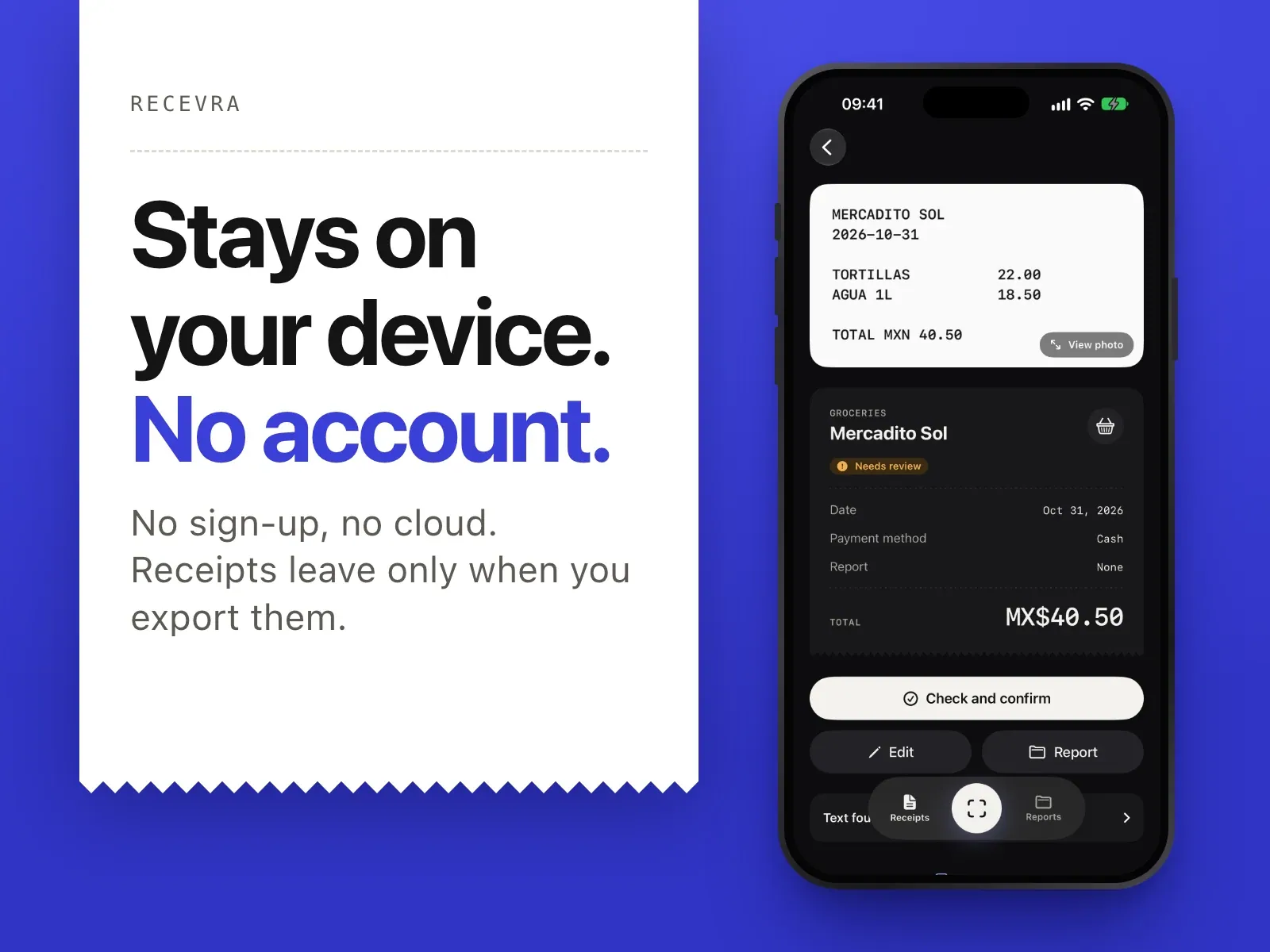
Stays on your device
No account, no sign-up and no cloud. Receipts, photos and reports are kept in the app's protected storage and leave only when you export or share them.


Why it exists
Freelancers, small-business owners and anyone who has to justify expenses end up with the same pile: paper receipts collected in a hurry — at a till, in a taxi, at the end of a trip — that have to become numbers someone else can check. Recevra does the reading on the device and leaves the deciding to you, so the paper can go and the numbers stay right.


Where it runs
Each platform has its own version, requirements and price.
| Platform | Status | Version | Requires | Price | Select |
|---|---|---|---|---|---|
| iPhone Mobile app | Available | v1.0.0 | iOS 17 or later | Free In-app purchases | |
| iPad Mobile app | Available | v1.0.0 | iPadOS 17 or later | Free In-app purchases | |
| macOS Desktop app | Available | v1.0.0 | macOS 14 or later | Free In-app purchases |
Pricing
Free
Free· In-app purchases
Recevra is free to use.
Scanning, receipts, reports and CSV export are free and unlimited. Recevra Pro (USD 2.99 once) adds PDF reports with photos and accent themes, and removes ads; Remove ads (USD 1.99 once) only removes ads. Apple shows the local price. No subscription.
Privacy
Your receipts, photos and reports stay on your device. There's no account, no cloud sync and no analytics.
- Receipts are read on the device with Apple's text recognition. Receipt photos, text and amounts are never sent to us or to an advertiser.
- There's no automatic sync. A .recevra backup file moves a library between devices only when you send it; it isn't encrypted, so keep it somewhere safe.
- Confirmed receipts can appear in Spotlight with merchant, date, total and category; photos, notes and receipt text are not indexed, and a setting turns it off.
- On iPhone and iPad, ads come from Google AdMob and are requested as non-personalised, without asking to track you. Google may still process data such as IP-based approximate location, device identifiers and ad interactions.
- The Mac app has no ads and no Google SDK.
- Purchases go through Apple, with Restore purchases in Settings. Delete all data erases every receipt, photo, report and export from the device.
Information
- Developer
- emagrina
- Type
- Desktop app, Mobile app
- Category
- Finance, Productivity
- Source code
- Private source
- Age rating
- 4+
- Languages 23
- English, Arabic, Bangla, Brazilian Portuguese, Catalan, Dutch, French, German…
You may also like
Warranty
Every purchase. Peace of mind.
Cost in Life
Everything has a price. Some prices aren't money.
Cutlisse
Product photos, ready to sell.
Formilo
Fill in PDF forms. Your details remembered, on your device.


More from emagrina
- Cost in Life Everything has a price. Some prices aren't money.Mobile app for iOS Free In-app purchases
- Cutlisse Product photos, ready to sell.Desktop app for macOS; Mobile app for iOS, iPadOS Free In-app purchases
- Formilo Fill in PDF forms. Your details remembered, on your device.Desktop app for macOS; Mobile app for iOS, iPadOS Free In-app purchases
- Kinlora Stay close to those who matter.Mobile app for iOS Free Paid plans available · In-app subscriptions
- Listphoto Listing photos, ready in one tap.Desktop app for macOS; Mobile app for iOS, iPadOS Free Paid options · varies by platform
- Mori A private, offline media and file browser.Desktop app for macOS, Windows, Linux €4.99 One-time purchase
- Pet Passport Everything about your pet. In one place.Mobile app for iOS Free Plans from €3.99 once · Ads · In-app purchases
- Picreduce Make any photo fit the form.Desktop app for macOS; Mobile app for iOS, iPadOS Free In-app subscriptions
- Rebost In development Less waste. More home.Mobile app for iOS, iPadOS, Android Free Paid plans available
- Sushimaru: Sushi Counter Count every piece. Savour every bite.Mobile app for iOS Free In-app purchases
- Where Did My Life Go? Discover where your time really goes.Mobile app for iOS Free In-app purchases


