


- Type
- Desktop and Mobile app
- Runs on
- macOS · iOS
- Get it
- From the app stores
- Price
- Free
Screenshots
-
What it's for — how long it's been since each little thing, at a glance.
-
Everyday things — each tile shows how long it's been and when it's next due.
-
One tap records it, and Undo is always there.
-
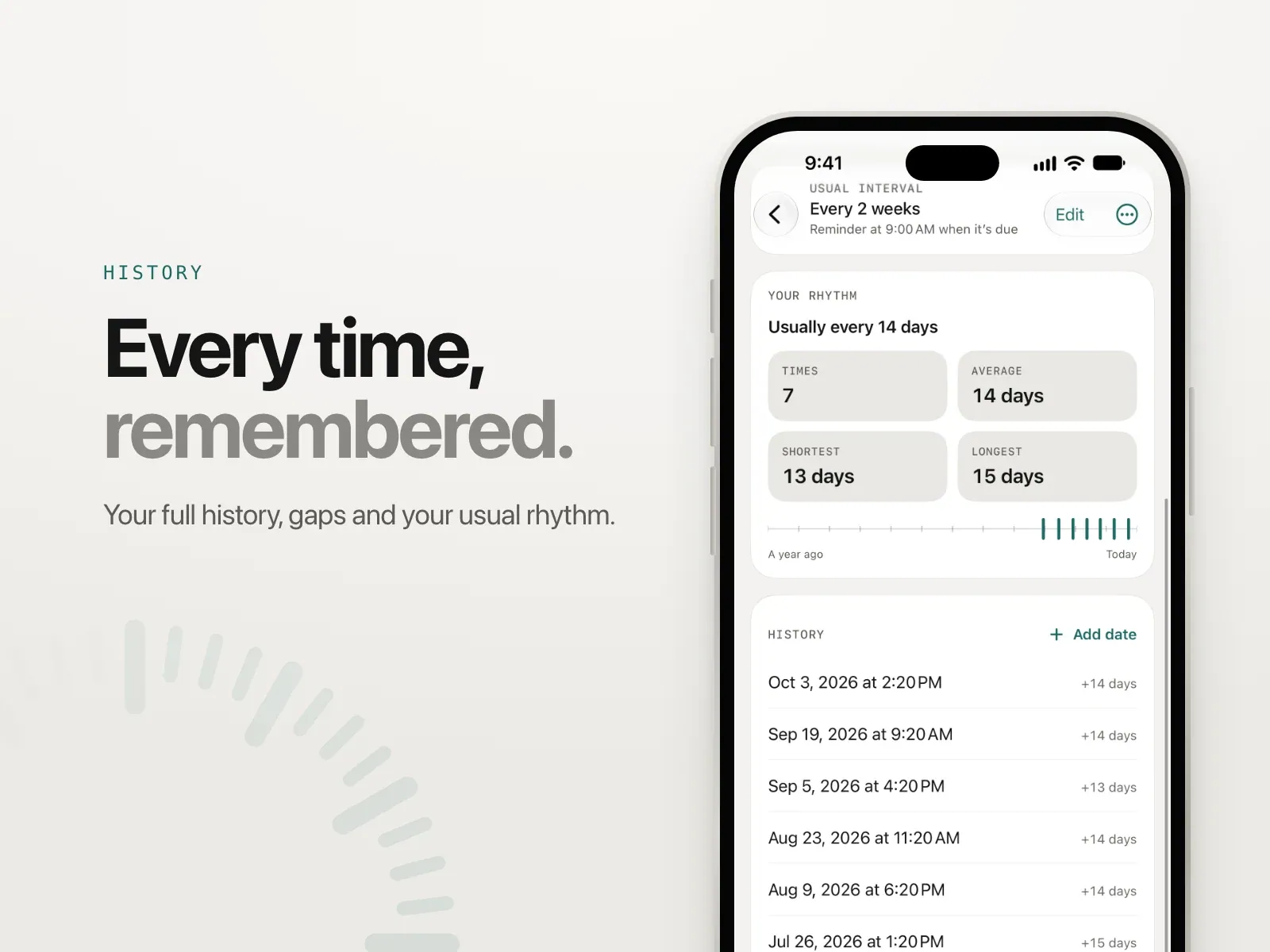
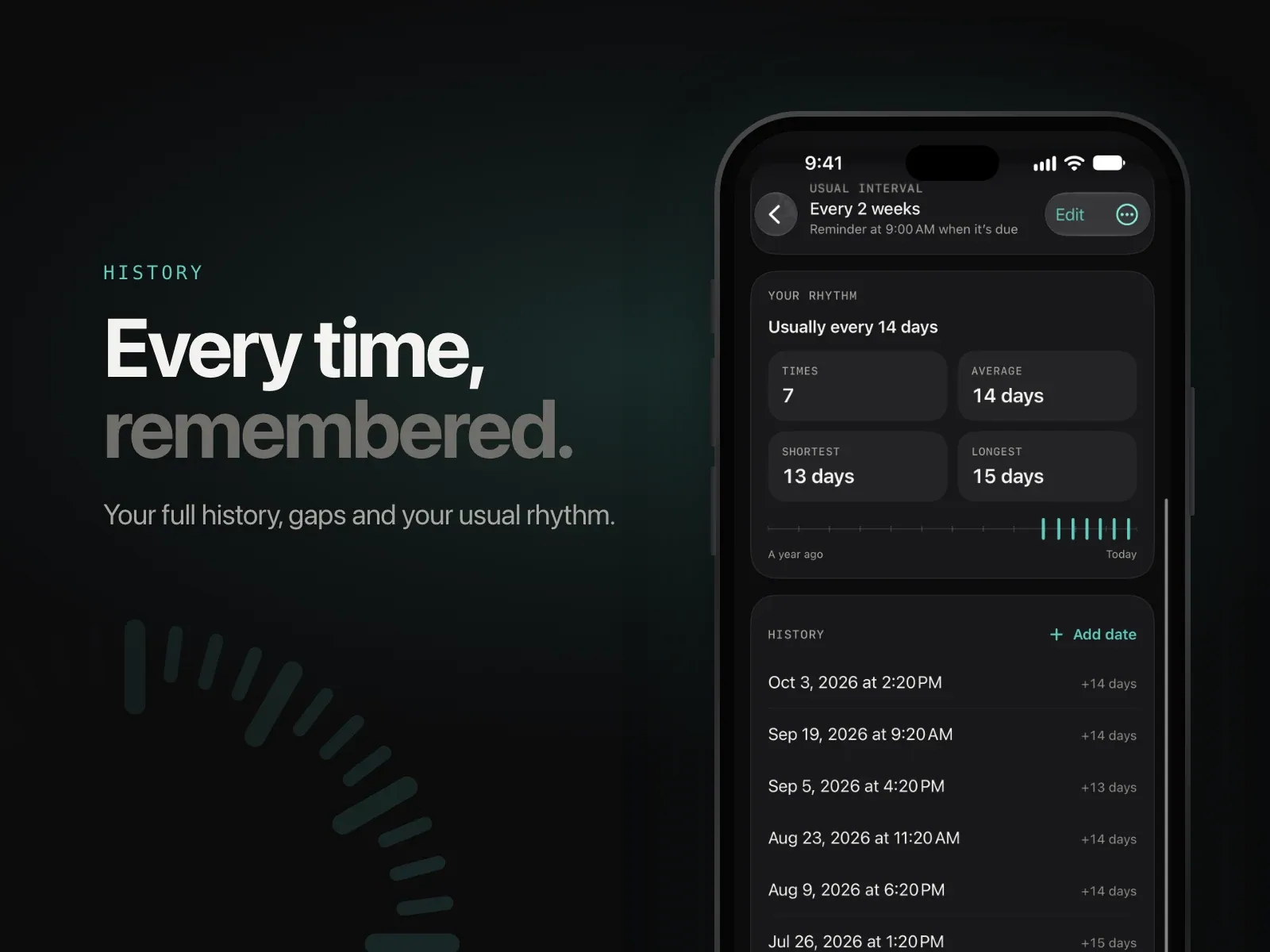
History — every time you did it, and your usual rhythm.
-
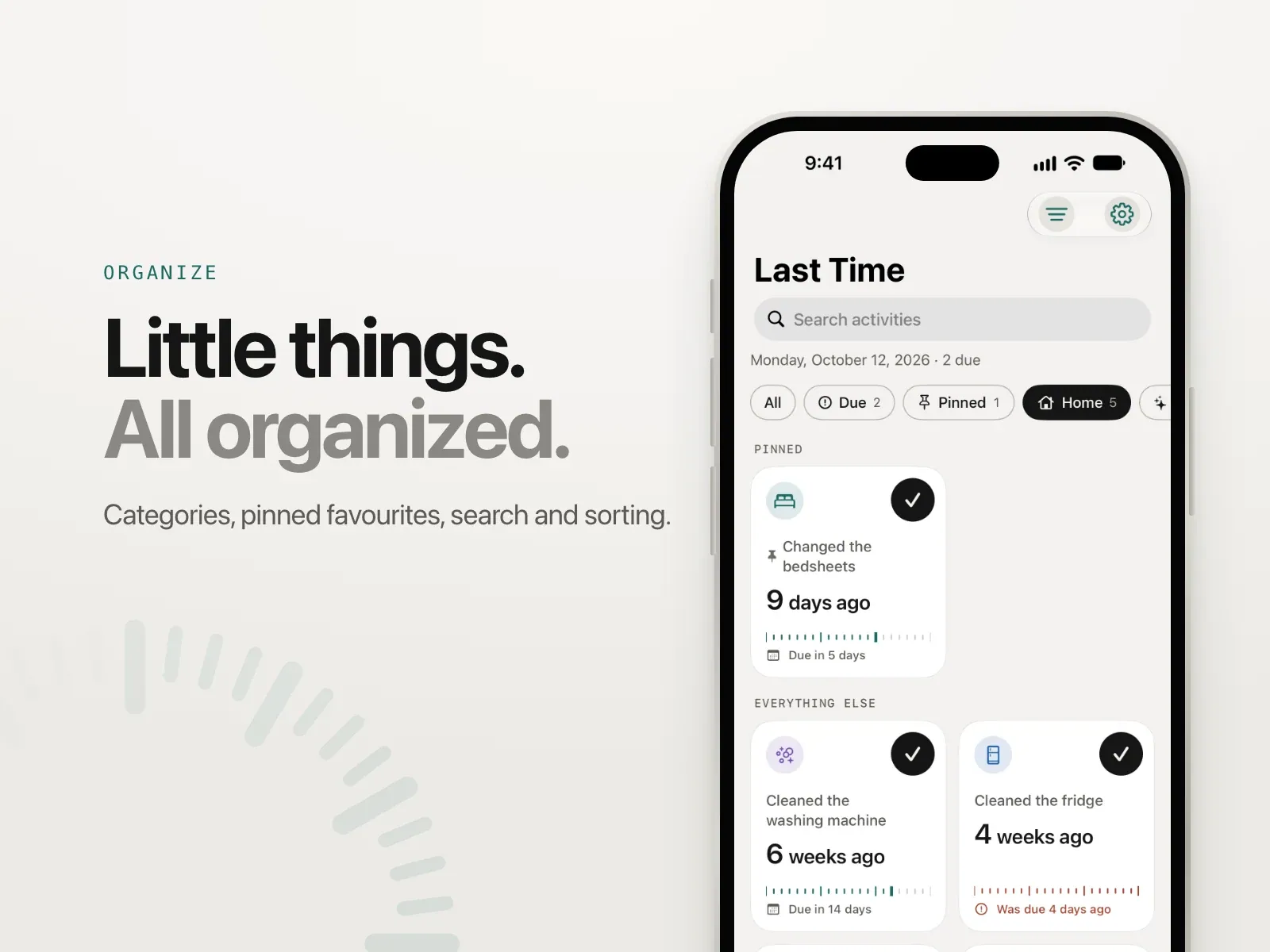
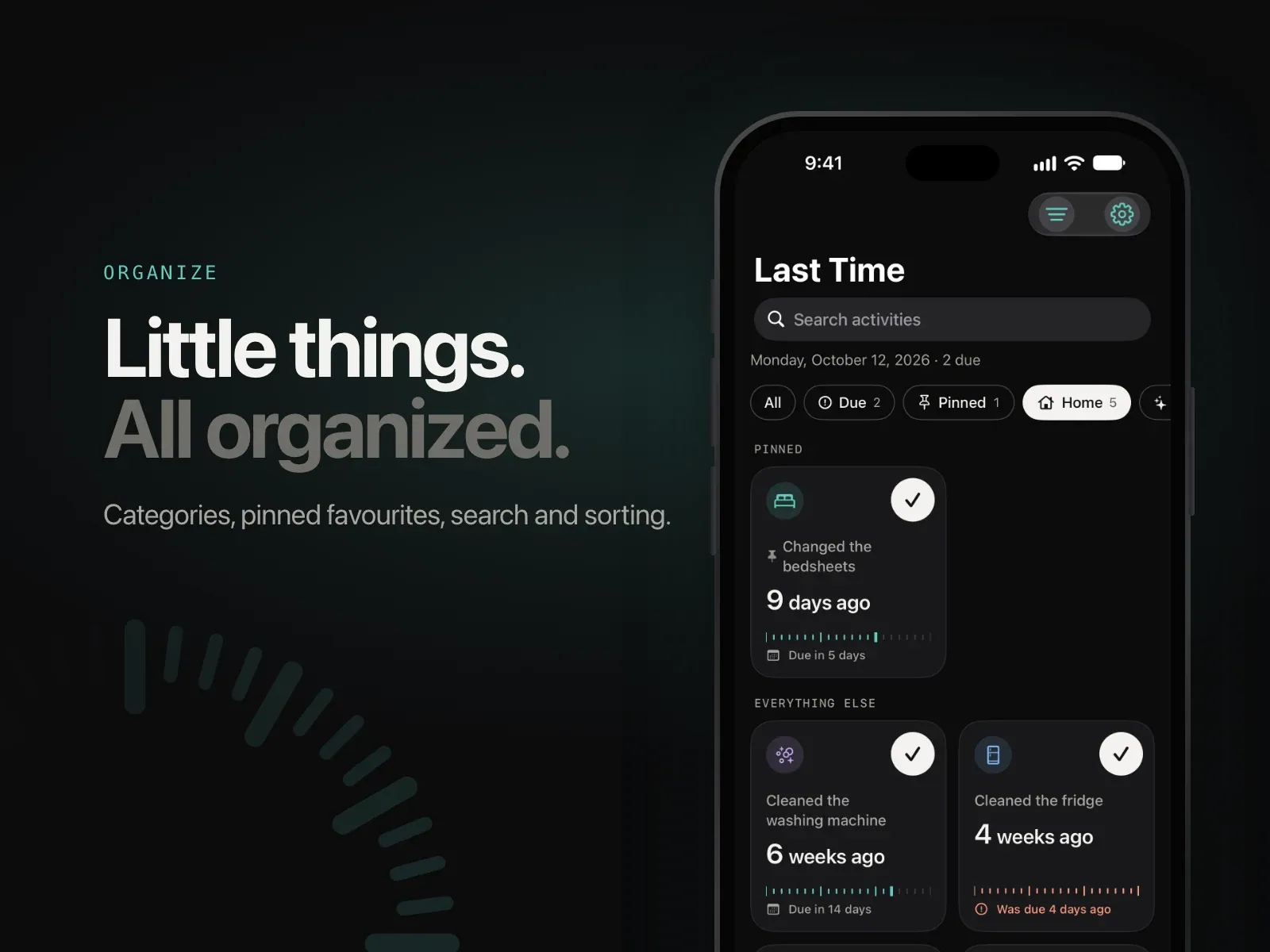
Categories, pinned favourites, search and sorting.
-
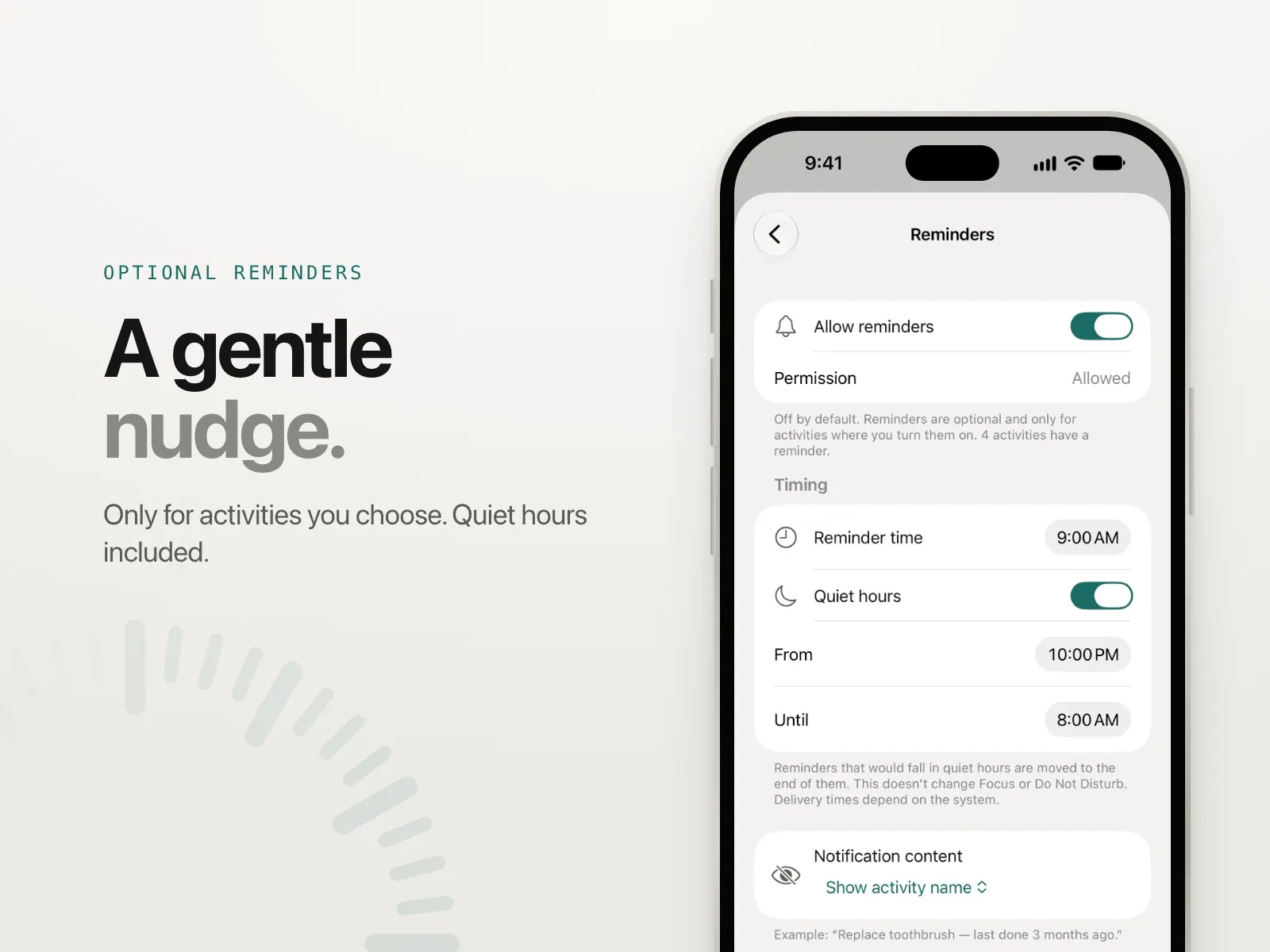
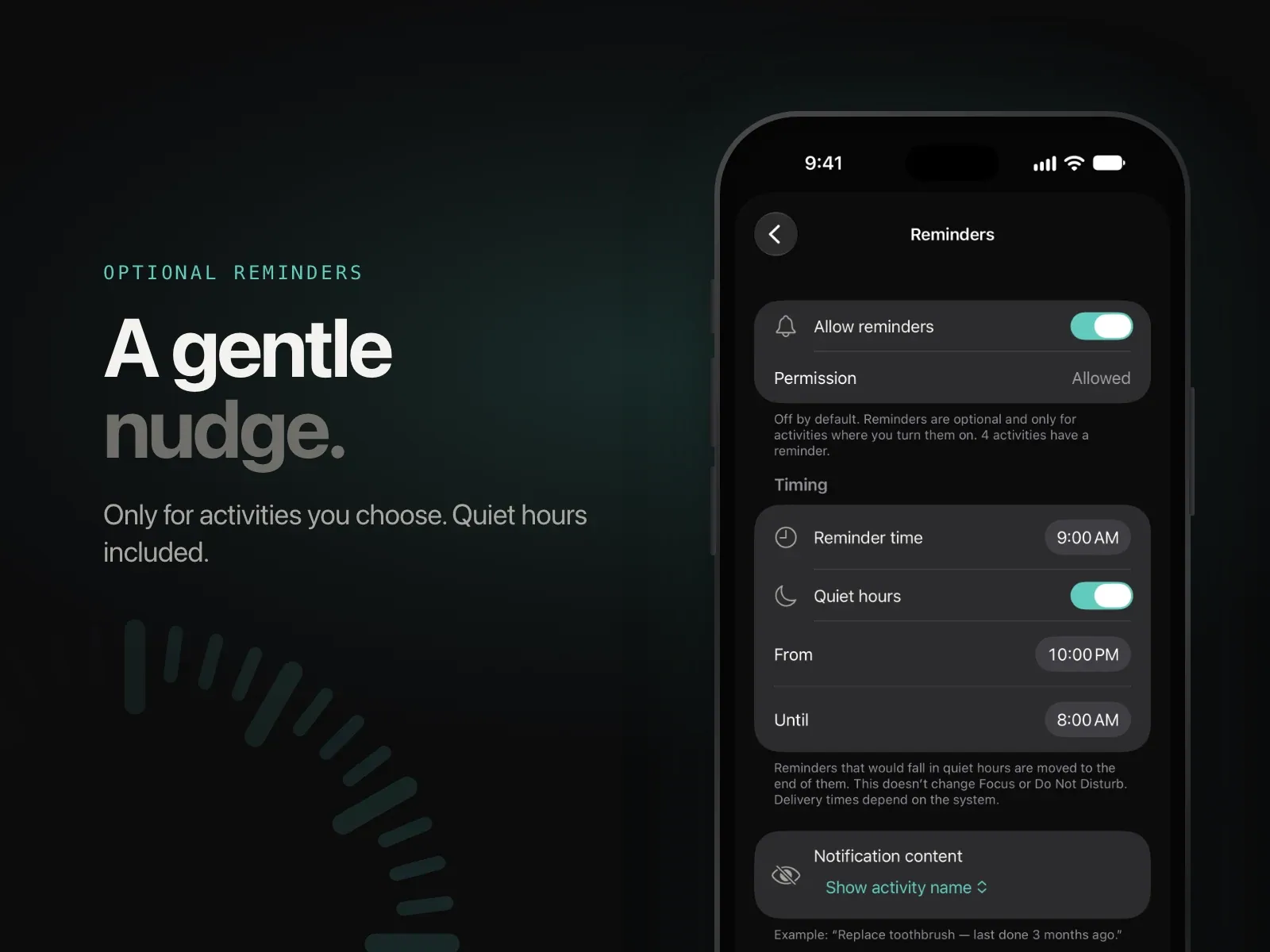
Reminders are optional, with quiet hours.
About Last Time
When did you last change the bedsheets? Clean the air filter, replace your toothbrush, deworm the cat, take the car in? Nobody writes these down — and nobody remembers.
Last Time answers that one question. Open it, find the activity and see how long it's been, at a glance. Tap Done when you do it again; did it yesterday, pick the date. Each activity keeps its full history and learns how often you usually do it, so it can tell you, calmly, when something is due.
Reminders are optional and off until you ask for one. Categories, pinned favourites, search and sorting keep a long list easy to read, and it's designed for VoiceOver, large text and Reduce Motion.
Activities, categories and history sync privately through iCloud between devices using the same Apple Account. No Last Time registration is needed. You can work offline; changes sync when iCloud and a connection are available.
Highlights
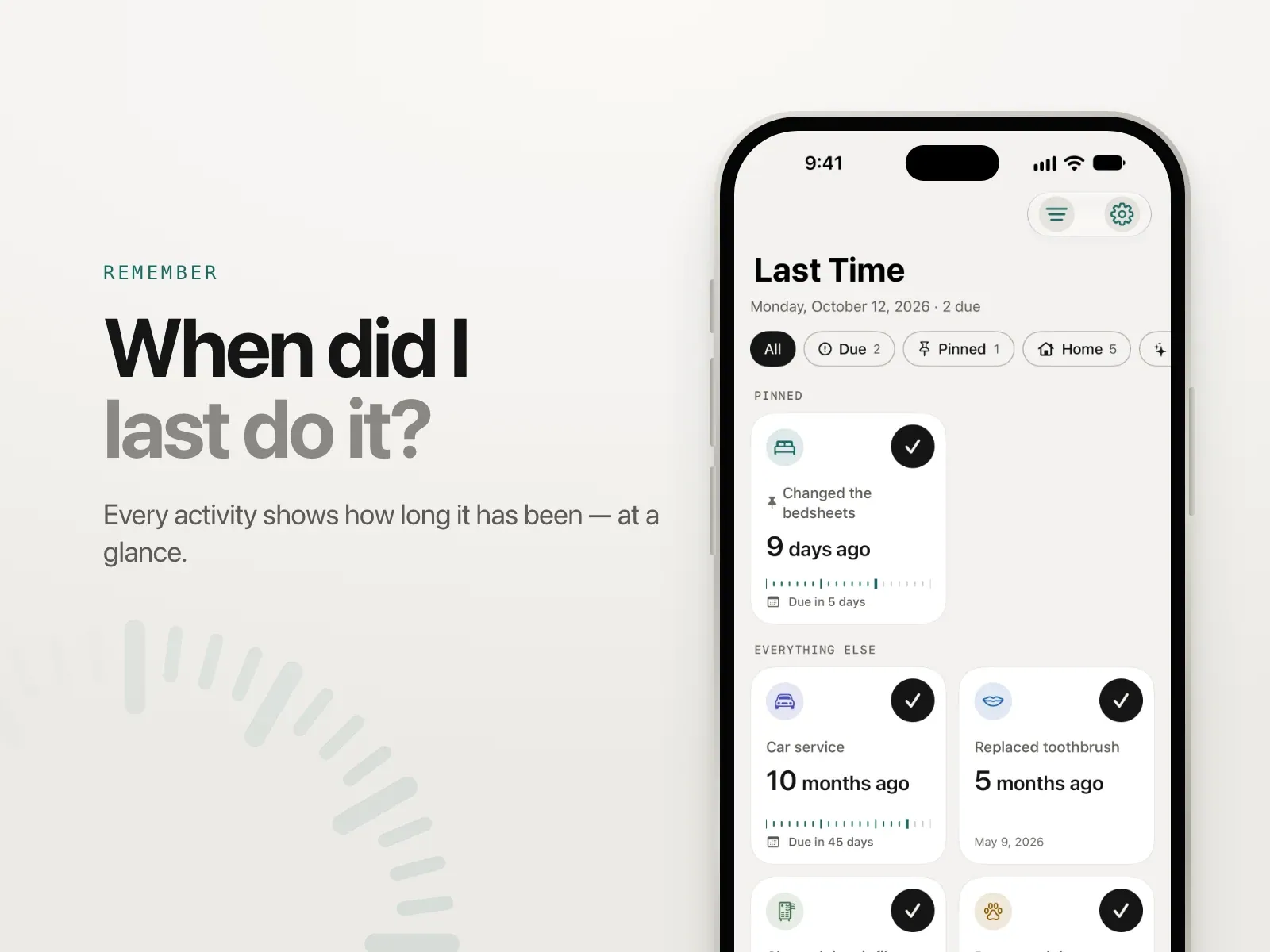
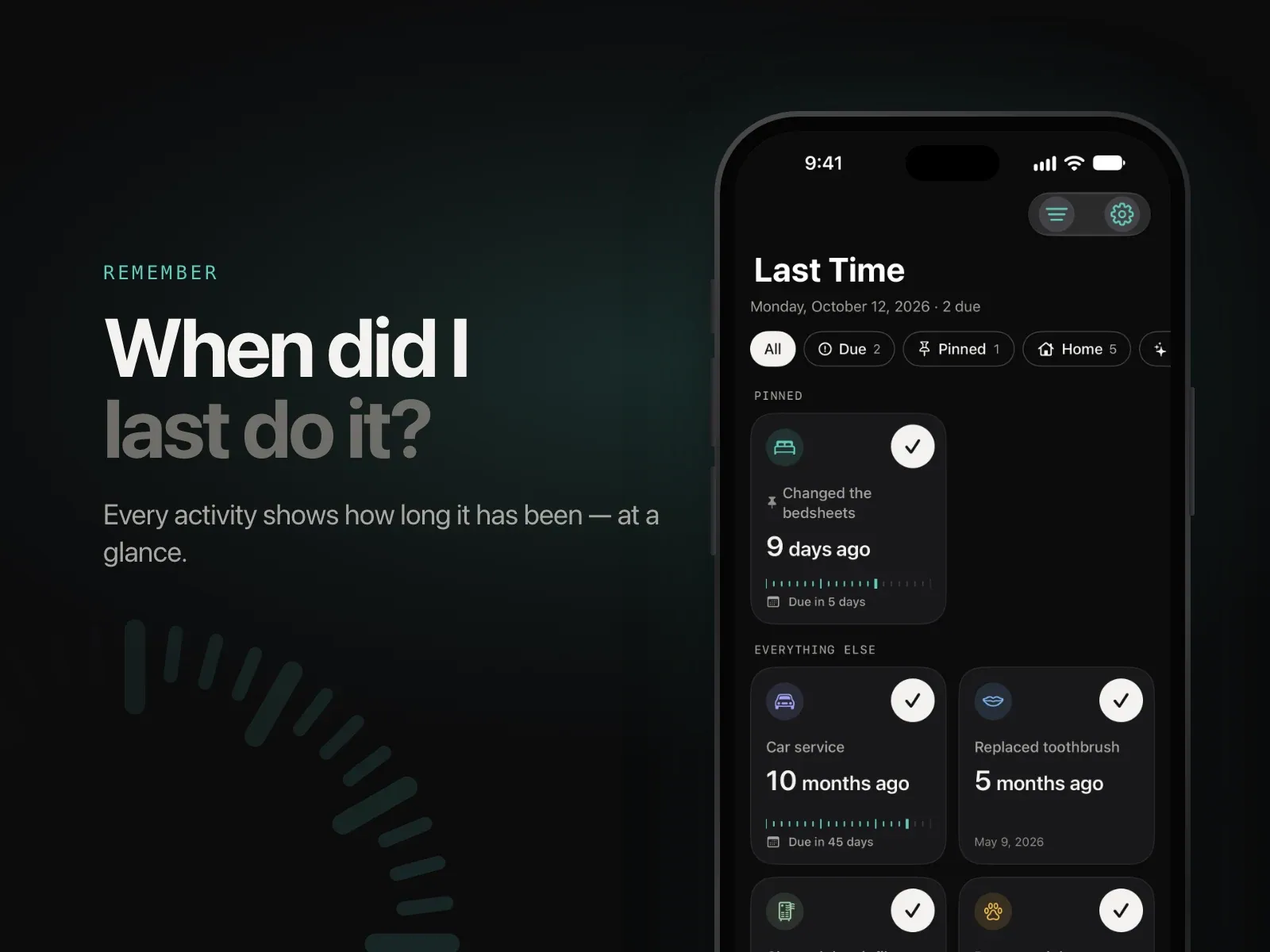
How long it's been, at a glance
Every activity shows the time since you last did it, in words or exact dates, with a tick ruler towards when it's usually due.
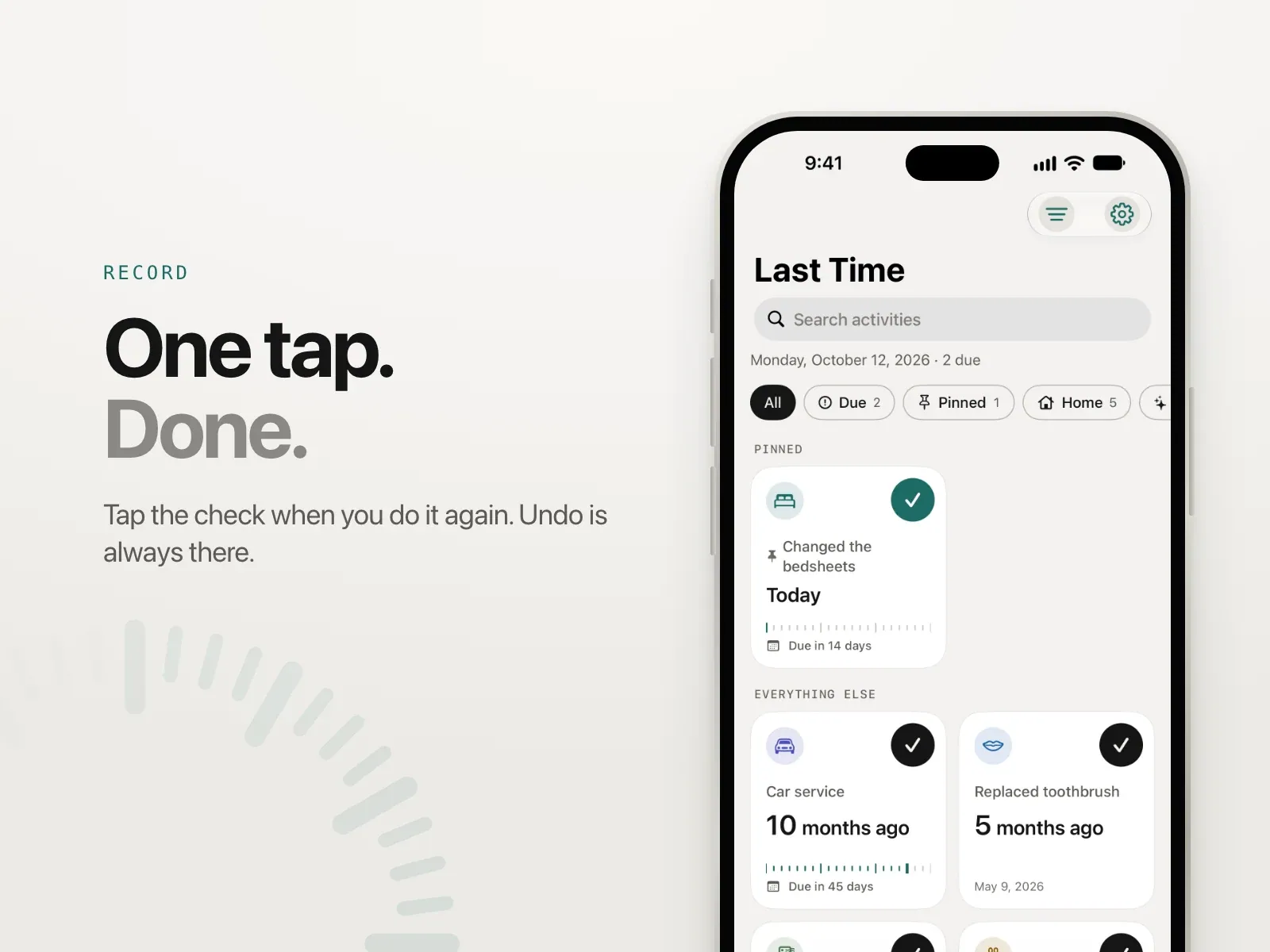
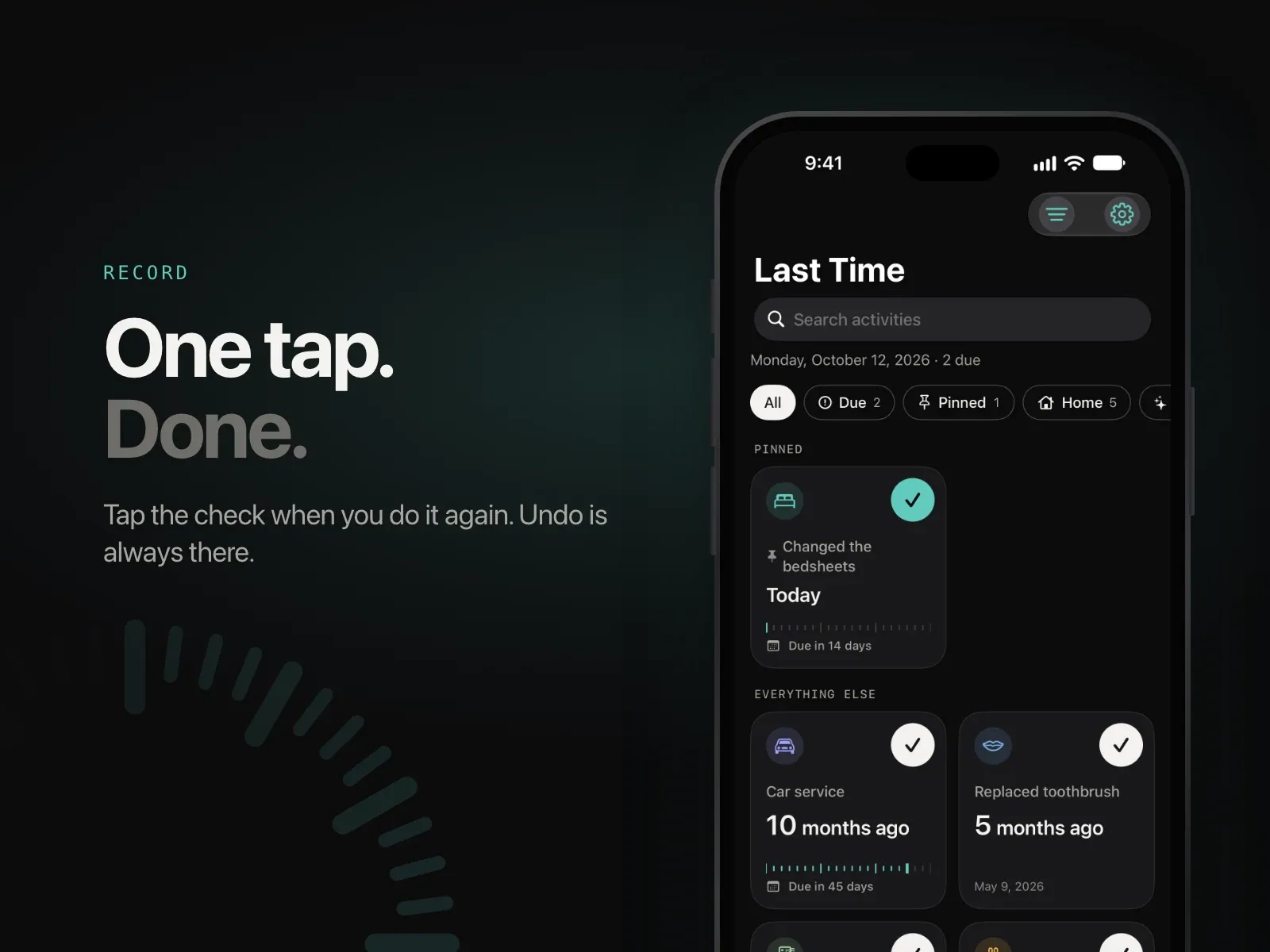
One tap to record
Tap the check when you do it again. Did it earlier? Pick the date. Made a mistake? Undo, or edit the history.
Your history and rhythm
Each activity keeps every date, the gaps between them and how often you usually do it — count, average, shortest and longest.
Little things, organized
Categories, pinned favourites, filters for what's due, search across names and notes, and five ways to sort — as cards or a compact list.
A gentle nudge
Reminders are off by default. Turn them on for the activities you choose, with a preferred time and quiet hours — one reminder per due date, never nagging.


Why it exists
Most of what keeps a home running happens every few weeks or months — too rarely to remember, too often to put in a calendar. Last Time is built for that gap: one quiet number per thing, so "when did I last…?" takes a glance instead of a guess.


Where it runs
Each platform has its own version, requirements and price.
| Platform | Status | Version | Requires | Price | Select |
|---|---|---|---|---|---|
| iPhone Mobile app | Available | — | iOS 17 or later | Free | |
| macOS Desktop app | Coming soon Free native Mac app, with optional Plus features. | — | macOS 14 or later | Free |
Pricing
Free
Free
Last Time is free to use.
Free core features. Last Time Plus: EUR 2.99 once in Spain, removes iPhone ads and adds widgets, accent colours and the Mac menu bar. No subscription or Family Sharing.
Privacy
Activities, categories, notes and history stay in local storage and sync through the person’s private iCloud database. iPhone Google advertising processes separate device and usage data; native Mac has no ad SDK.
- Private CloudKit sync uses the same Apple Account on iPhone and Mac, with no Last Time registration or developer access to private records. Core records work offline.
- Google Mobile Ads and UMP on iPhone use non-personalised native ads with privacy choices. Plus removes iPhone ads; native Mac has none.
- Exports and backups go only to destinations you choose. Local reminders and optional system authentication protect the experience.
Information
- Developer
- emagrina
- Type
- Desktop app, Mobile app
- Category
- Productivity, Personal
- Source code
- Private source
- Languages 23
- English, Arabic, Bangla, Catalan, Chinese, Dutch, French, German…
You may also like
Gift Memory
Never forget what they love.
- Beta
Mochi
Are your agents working, waiting, stuck, or done?
Don't Forget To Ask
Prepare, ask, remember.
Pet Passport
Everything about your pet. In one place.


More from emagrina
- Cost in Life Everything has a price. Some prices aren't money.Mobile app for iOS Free In-app purchases
- Cutlisse Product photos, ready to sell.Desktop app for macOS; Mobile app for iOS, iPadOS Free In-app purchases
- Formilo Fill in PDF forms. Your details remembered, on your device.Desktop app for macOS; Mobile app for iOS, iPadOS Free In-app purchases
- Kinlora Stay close to those who matter.Mobile app for iOS Free Paid plans available · In-app subscriptions
- Listphoto Listing photos, ready in one tap.Desktop app for macOS; Mobile app for iOS, iPadOS Free Paid options · varies by platform
- Mori A private, offline media and file browser.Desktop app for macOS, Windows, Linux €4.99 One-time purchase
- Pet Passport Everything about your pet. In one place.Mobile app for iOS Free Plans from €3.99 once · Ads · In-app purchases
- Picreduce Make any photo fit the form.Desktop app for macOS; Mobile app for iOS, iPadOS Free In-app subscriptions
- Rebost In development Less waste. More home.Mobile app for iOS, iPadOS, Android Free Paid plans available
- Recevra Paper gone. Numbers right.Desktop app for macOS; Mobile app for iOS, iPadOS Free In-app purchases
- Sushimaru: Sushi Counter Count every piece. Savour every bite.Mobile app for iOS Free In-app purchases
- Where Did My Life Go? Discover where your time really goes.Mobile app for iOS Free In-app purchases


